Auth for One .NET App with SqlOS
The default path for a B2B SaaS app on SQL Server: hosted login, orgs, OAuth tokens, sessions, and SqlOS routes inside your ASP.NET host.
By Ross Slaney
You have one web app.
Not six customer portals. Not an identity platform. Not a vendor comparison spreadsheet. One B2B SaaS product on SQL Server, with a browser frontend and an API.
You need people to sign in, join an organization, invite a teammate, and call your API with a real OAuth access token. Later, one customer may ask for SSO. You do not want to run Keycloak, wire Auth0, or build an auth microservice before the product exists.
This is the default SqlOS path: host auth inside the ASP.NET app you already operate, keep the auth tables in SQL Server, and start with the hosted AuthPage.
One app, one database, one auth surface
SqlOS lives inside the ASP.NET host. Your browser app gets OAuth tokens from /sqlos/auth, your API handles business routes, and SQL Server stores both app data and SqlOS tables.
Browser app
- Hosted AuthPage
- PKCE client
- Bearer API calls
ASP.NET API
- /api/*
- /sqlos/auth/*
- /sqlos admin
SQL Server
- Users + orgs
- Sessions + refresh tokens
- FGA resources + grants
The shape
For a first B2B app, keep the topology boring:
| Piece | Default |
|---|---|
| Product | One web app |
| OAuth client | One first-party public PKCE client |
| Database | One SQL Server database |
| Auth UI | SqlOS hosted AuthPage |
| API | Your ASP.NET routes plus SqlOS routes |
| Admin | SqlOS dashboard at /sqlos |
That gives you the important thing: a standards-based login flow without making auth a second service.
The browser redirects to /sqlos/auth/authorize. SqlOS renders the AuthPage, handles the credential flow, stores sessions and refresh tokens, and redirects back with an authorization code. Your frontend exchanges the code, then calls your API with a bearer token.
Minimal setup
Install the package:
dotnet add package SqlOSYour host uses the combined registration overload and describes its single application:
using Microsoft.EntityFrameworkCore;
using SqlOS;
using SqlOS.Extensions;

var builder = WebApplication.CreateBuilder(args);
var connectionString = builder.Configuration.GetConnectionString("DefaultConnection")
    ?? throw new InvalidOperationException("Configure ConnectionStrings:DefaultConnection.");

builder.AddSqlOS<AppDbContext>(db => db.UseSqlServer(connectionString), options =>
{
    options.UseSingleApplication("App", application =>
    {
        application.Origin = "https://app.example.com";
        application.ClientId = "app-web";
        application.Api = "/api";
        application.Brand(page => page.PrimaryColor = "#0f172a");
    });
});

var app = builder.Build();
app.Run();
SqlOS maps its routes at startup and derives the first-party PKCE client, callback, API audience, and protection; nothing is placed in the pipeline by your code. Your front end uses its standard OIDC library with the registered callback, through either hosted AuthPage or headless UI, and calls /api with the token. See the complete README example.
Wire the DbContext
Derive your context from SqlOSDbContext<TContext> and add your business entities:
public sealed class AppDbContext(DbContextOptions<AppDbContext> options)
    : SqlOSDbContext<AppDbContext>(options)
{
    public DbSet<Project> Projects => Set<Project>();
}
SqlOS owns its own tables. Your app owns your business tables. Both live in the same SQL Server database, which means you can inspect, back up, and deploy the whole application as one operational unit.
Start with the hosted AuthPage
The fastest useful path is not a custom login screen. It is the hosted AuthPage with your app name, colors, credential options, and redirect URI already aligned.
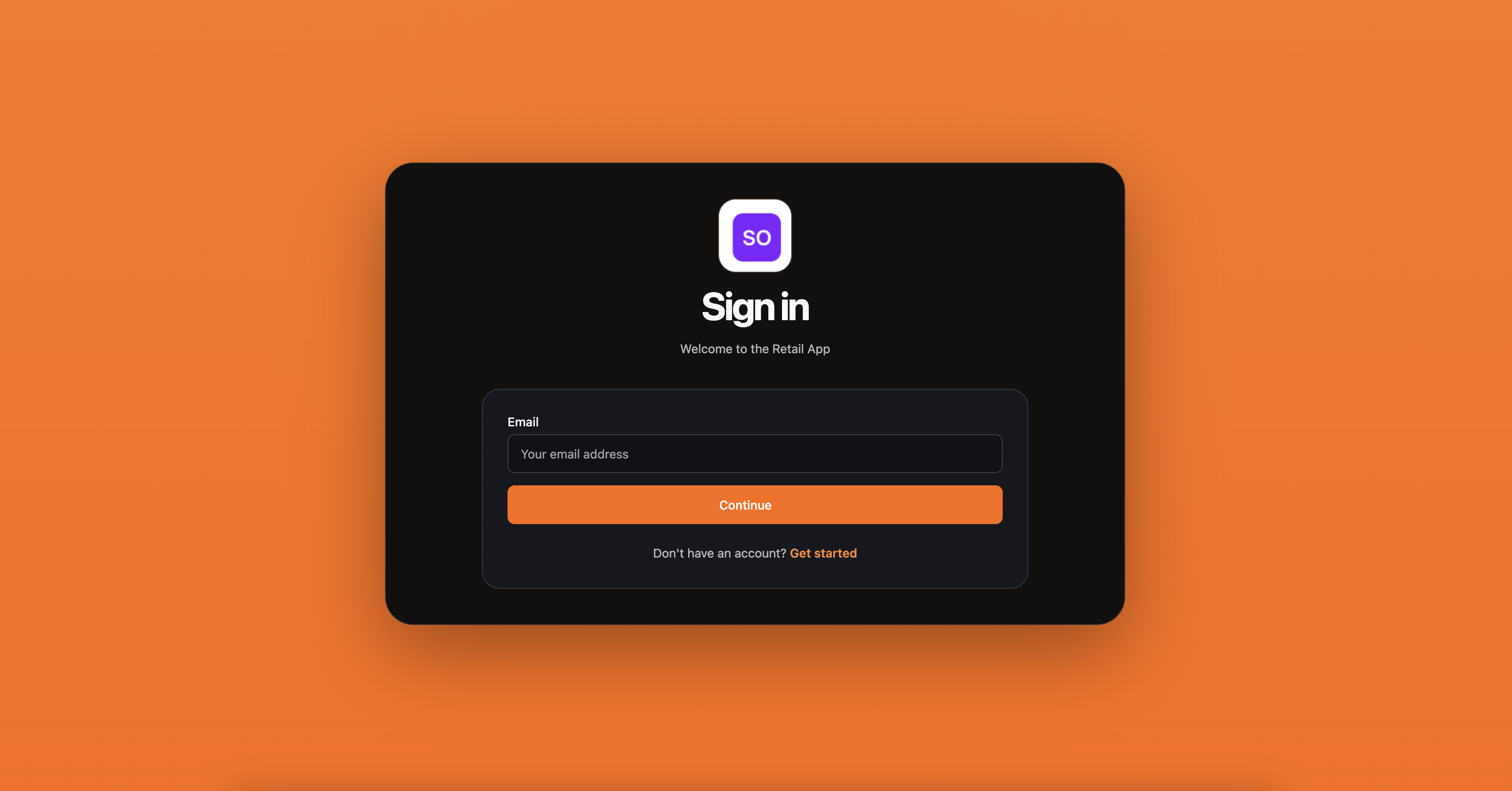
Use headless auth later if your product needs a fully custom login UI. The hosted page is better for the first version because it removes the easy mistakes: mismatched redirect URIs, a credential form that does not match the OAuth transaction, and signup state that bypasses the auth server.
What routes you get
AddSqlOS maps the auth and admin surfaces when the host starts:
| Route | Purpose |
|---|---|
/sqlos | Dashboard entry point |
/sqlos/auth/* | OAuth, hosted AuthPage, token, refresh, logout, invitations |
/sqlos/admin/auth | Users, organizations, clients, sessions |
/sqlos/admin/fga | Resources, grants, roles, permissions, access tester |
Your API routes keep their normal shape:
app.MapGet("/api/me", (ClaimsPrincipal user) =>
{
    return Results.Ok(new
    {
        userId = user.FindFirst("sub")?.Value,
        email = user.FindFirst("email")?.Value
    });
});
The important boundary is simple: /api/* is your product, /sqlos/auth/* is the authorization server, and /sqlos is the operator dashboard.
Organizations when you need them
Most B2B apps need organizations before they need a full identity platform. The first version usually needs:
- create an organization during signup
- invite a teammate
- pick an organization at login if the user belongs to more than one
- include organization context in the token
- add SAML or OIDC later for an enterprise customer
SqlOS keeps those objects in your database and exposes them in the same dashboard as the clients and sessions. That means support can answer ordinary questions without jumping between your admin UI, a vendor dashboard, and SQL queries.
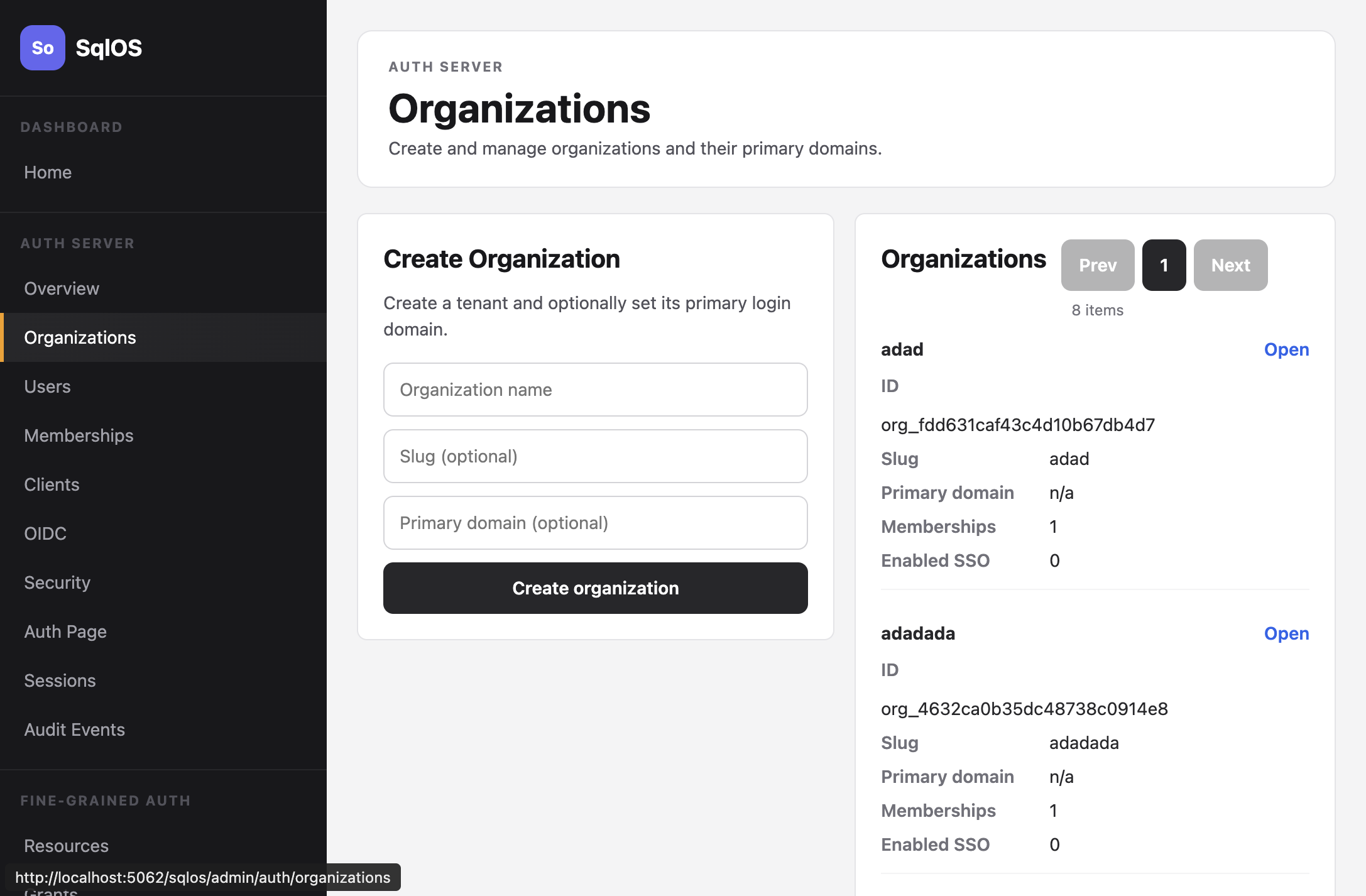
The organization choice also affects tokens. For a one-app product, the frontend should not be guessing which tenant is active from local storage or a route parameter alone. The login flow should establish the user, the organization context, the client, and the audience together.
That lets the API treat the token as an input to authorization instead of a loose profile blob:
app.MapGet("/api/projects", async (
    ClaimsPrincipal user,
    AppDbContext dbContext,
    CancellationToken cancellationToken) =>
{
    var organizationId = user.FindFirst("org_id")?.Value;
    if (string.IsNullOrWhiteSpace(organizationId))
    {
        return Results.Forbid();
    }

    var projects = await dbContext.Projects
        .Where(x => x.OrganizationId == organizationId)
        .OrderBy(x => x.Name)
        .ToListAsync(cancellationToken);

    return Results.Ok(projects);
});
That example is still only organization scoping. It is not full row-level authorization. The point is that login, organization selection, token validation, and API data access now line up around the same issuer and database.
Add FGA only when the app needs row-level access
You do not have to solve every authorization problem in the first week. Start with login, orgs, and tokens. When you need list endpoints that only return rows the user can see, use SqlOS FGA with EF query filters. That is the next post in this series: List endpoints that only return authorized rows.
Why this is the default path
The default path works because it refuses to make the first app look like a platform.
You do not need application assignments when there is only one application. You do not need a multi-app control plane when the customer portal is the product. You do not need to compare every IdP feature before you have a production login.
You need a small set of primitives that will not collapse later:
- OAuth authorization code with PKCE
- access tokens for the API
- refresh tokens and sessions
- organizations and memberships
- invitations
- an admin dashboard
- SSO paths when an enterprise customer arrives
- optional FGA that composes with EF queries
That is what SqlOS gives a one-app .NET team: a real auth server colocated with the API, not a weekend login form and not a second platform.
Next reading: