Todo Sample
Run hosted password login, an ASP.NET Core PKCE client, protected APIs, EF authorization, and optional OTP providers.
The Todo sample is the canonical "ship hosted AuthPage plus simple FGA fast" walkthrough. Its default path is deliberately provider-free: local password sign-in and signup work without an email, SMS, or external identity account.
It keeps the model intentionally small:
This is a multi-client host. Program.cs uses ConfigureApplication("SqlOS Todo", ...) with Brand, Authorization, and optional Headless, then explicitly registers its web, Razor Pages, CLI, and broker clients. It keeps the configurable Todo resource audience and per-operation token/scope checks. It does not declare a same-host MCP server. The Notes sample demonstrates UseSingleApplication with derived API/MCP protection.
From the repository root:
dotnet run --project examples/SqlOS.Todo.AppHost/SqlOS.Todo.AppHost.csprojUse the authenticated Aspire dashboard URL printed in the terminal (its configured listener is https://localhost:18890). When todo-api and aspnet-web show Running, choose the experience that matches what you are evaluating:
| URL | Experience |
|---|---|
http://localhost:5090 | ASP.NET Core OpenID Connect + PKCE, secure application cookie, /api/me, and revoking logout |
http://localhost:5080 | Hosted-login Todo CRUD client and FGA-filtered data |
http://localhost:5080/sqlos | Auth, FGA, client, session, and audit administration |
Create a password account and organization through the hosted AuthPage. No provider secrets are needed.
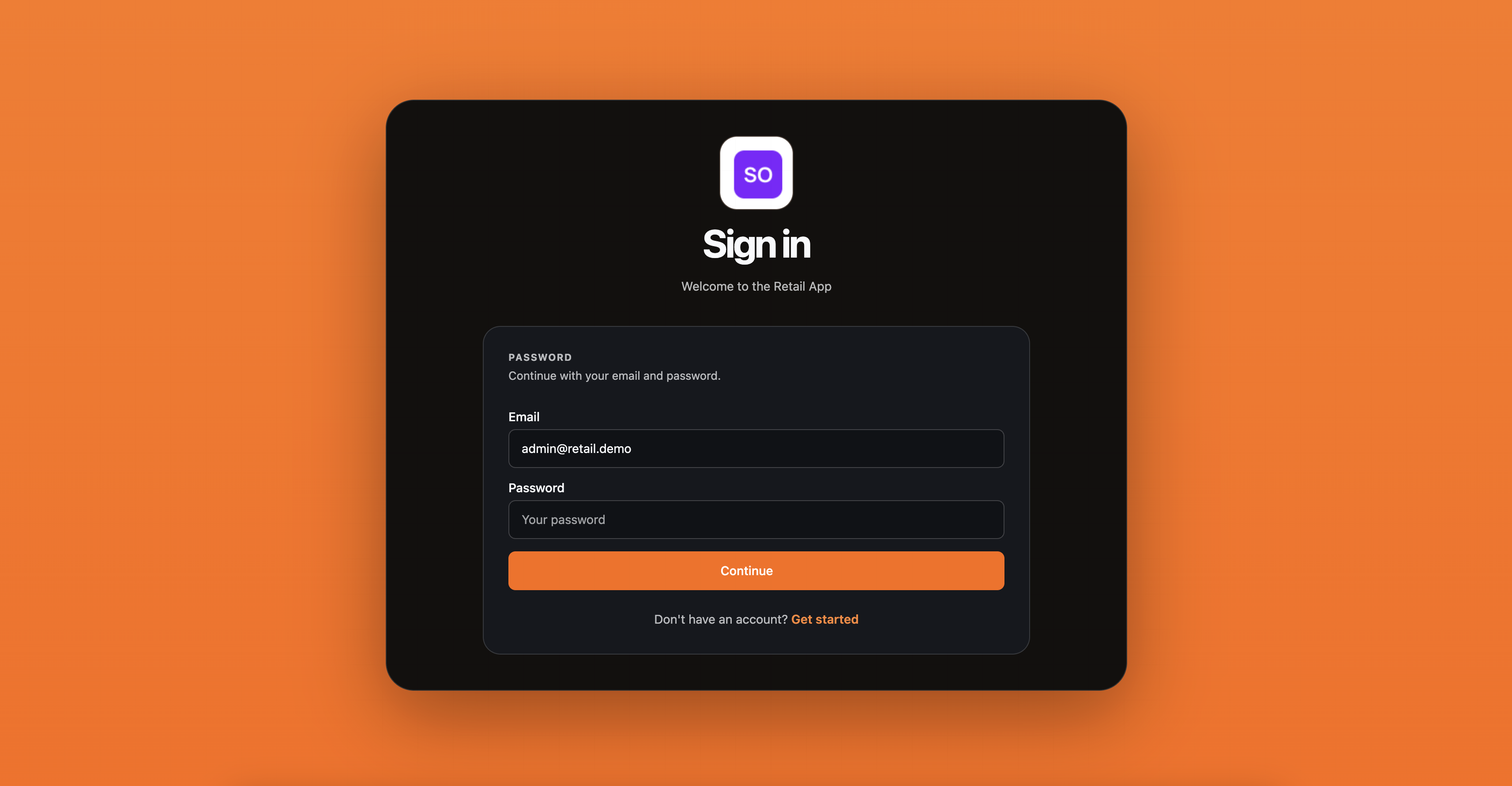
If you already ran an older version of the sample, allow startup schema upgrades to complete before testing. The AppHost defaults to a persistent PostgreSQL volume and UseNpgsql. Set SqlOS:DatabaseProvider=SqlServer to keep the SQL Server path. Discard the Aspire data volume only when you intentionally want to lose the existing local data.
The example-aspnet client is the shortest all-.NET proof:
client_id: example-aspnet;http://localhost:5090/signin-sqlos;http://localhost:5080/api/todos;openid profile email offline_access todos.read todos.write.ASP.NET Core's built-in OpenID Connect handler owns discovery, correlation state, the nonce, the PKCE verifier, ID token validation, and the callback. SqlOS owns hosted credential collection, the code exchange, tokens, UserInfo, and the persisted session. The application then stores its identity in an encrypted ASP.NET Core cookie and proves the access token with GET /api/me.
See Sign in an ASP.NET Core app for the annotated implementation and production tradeoffs.
Hosted browser login for this stack is the Razor Pages client at http://localhost:5090 (AddOpenIdConnect) or the Next.js example at http://localhost:3010 (Auth.js). The Todo API still seeds todo-web and http://localhost:5080/callback.html for protocol demos; the vanilla sample.js page no longer implements PKCE or /token.
Use the landing page to inspect issuer, audience, CIMD/DCR flags, and headless request state. Use the ASP.NET Core or Next.js client to complete hosted sign-in, then compare Todo resources and grants in the embedded dashboard.
The sample models every Todo as an FGA resource.
Hierarchy:
root;tenant::{userId};todo::{todoId}.Role and permission matrix:
tenant_owner;TENANT_CREATE_TODO;TODO_READ;TODO_WRITE.The app grants tenant_owner on the user tenant node. Child Todo resources inherit access from that node, so the sample can:
BuildFilterAsync<TodoItem>(...);That keeps the endpoint code small while populating the FGA dashboard with a real hierarchy and real grants.
The sample protects /api/todos and /api/me with audience-aware token validation. It also exposes:
GET /.well-known/oauth-protected-resourceWhen a caller presents no token or the wrong audience, the API returns:
401 Unauthorized;WWW-Authenticate header with resource_metadata.This demonstrates both sides of the resource boundary: discovery for MCP and other public clients, then signature, issuer, expiry, audience, and persisted-session existence/revocation/absolute-expiry validation at the API. The validated result also carries the client ID claim.
Email OTP is an extension, not a startup requirement. Enable it only after you have an Azure Communication Services Email resource and a verified sender.
ACS_COMMUNICATION_SERVICE_NAME=<acs-communication-service-name>
AZURE_RESOURCE_GROUP=<resource-group>
ACS_FROM_ADDRESS=no-reply@example.com

ACS_CONN=$(az communication list-key \
  --name "$ACS_COMMUNICATION_SERVICE_NAME" \
  --resource-group "$AZURE_RESOURCE_GROUP" \
  --query primaryConnectionString \
  -o tsv)

TodoSample__EnableEmailOtp=true \
SqlOS__EmailOtp__AzureCommunicationServicesConnectionString="$ACS_CONN" \
SqlOS__EmailOtp__FromAddress="$ACS_FROM_ADDRESS" \
dotnet run --project examples/SqlOS.Todo.AppHost/SqlOS.Todo.AppHost.csproj
With email OTP enabled, the sample selects email_otp instead of the default password credential. SqlOS sends and verifies the code, creates the user during signup, and redirects back through the same OAuth flow. The Todo seed also supplies application name and colors for OTP and invitation email branding.
Do not put the ACS connection string in source or a committed launch profile. For repeated local use, store the same keys as user secrets on examples/SqlOS.Todo.AppHost.
dotnet user-secrets --project examples/SqlOS.Todo.AppHost set \
  "TodoSample:EnableEmailOtp" "true"
dotnet user-secrets --project examples/SqlOS.Todo.AppHost set \
  "SqlOS:EmailOtp:AzureCommunicationServicesConnectionString" "$ACS_CONN"
dotnet user-secrets --project examples/SqlOS.Todo.AppHost set \
"SqlOS:EmailOtp:FromAddress" "$ACS_FROM_ADDRESS"SMS OTP is likewise disabled by default. Configure TodoSample:EnablePhoneOtp plus the Twilio Verify account, token, service SID, and default region settings in Phone OTP with Twilio Verify. Enabling an OTP provider changes the credential buttons shown by the hosted AuthPage; it does not change the OAuth callback or API audience.
For localhost MCP development, use the seeded client:
client_id: todo-local;http://localhost:3100/oauth/callback;This is the easiest local loop before publishing the sample on a stable HTTPS origin.
For the Emcy-hosted local Todo MCP flow, use the additional seeded client:
client_id: todo-mcp-local;http://localhost:5150/api/v1/hosted-mcp/todo-local/oauth/callback;This client lets Emcy broker the downstream Todo authorization flow while the Todo API keeps the same OAuth and audience behavior.
The sample also seeds a public CLI client:
client_id: todo-cli;Run the AppHost, then in another terminal:
dotnet run --project examples/SqlOS.Todo.Cli -- login
dotnet run --project examples/SqlOS.Todo.Cli -- whoami
dotnet run --project examples/SqlOS.Todo.Cli -- add "Ship device OAuth"
dotnet run --project examples/SqlOS.Todo.Cli -- list
dotnet run --project examples/SqlOS.Todo.Cli -- toggle <todo-id>
login prints and opens verification_uri_complete. Sign in through SqlOS AuthPage, approve the CLI request, then return to the terminal. The demo stores tokens under ~/.sqlos/todo-cli/tokens.json.
More detail: CLI OAuth.
Once the sample is reachable on public HTTPS, it supports both public-client onboarding paths.
The sample publishes a metadata document at:
/clients/portable-client.jsonUse it as a working reference for the client metadata document shape and as a starting point for a portable client hosted at a stable HTTPS URL.
DCR remains off by default. Enable it only for a deliberate local compatibility test:
TodoSample__EnableDcr=true \
dotnet run --project examples/SqlOS.Todo.AppHost/SqlOS.Todo.AppHost.csproj
The AppHost reads the setting and forwards it to todo-api; omitting it keeps registration disabled.
The registration endpoint is:
POST /sqlos/auth/registerUse the Todo sample when your question is:
"How do I ship hosted auth, an ASP.NET Core login, simple FGA, and protected-resource metadata with very little app code?"
Use the full Example stack when your question is:
"How do I explore the broader SqlOS surface, including headless auth, OIDC, SAML, organization workflows, and richer multi-tenant FGA?"