Users
Create users and manage credentials.
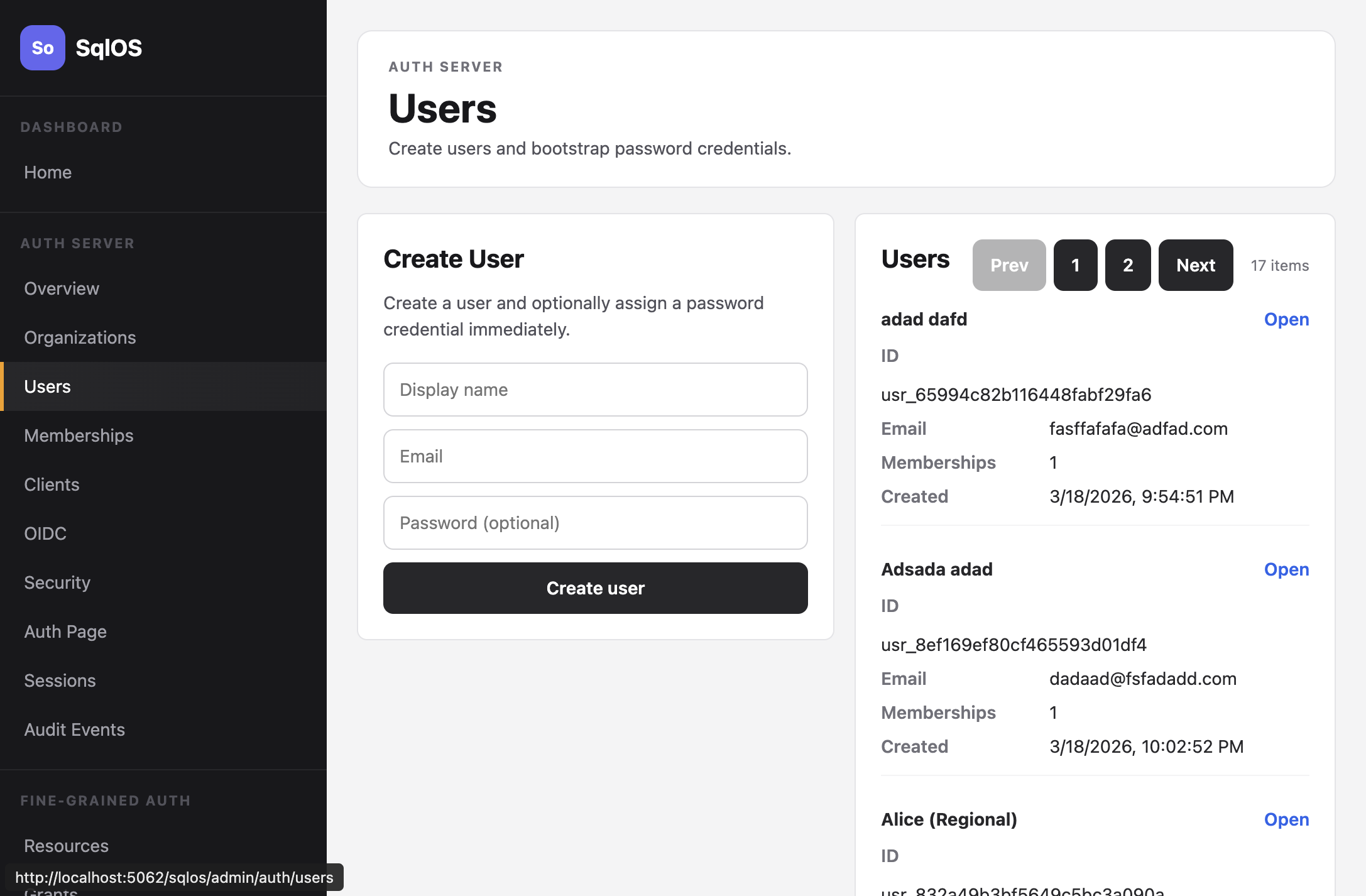
Users are the people who authenticate through SqlOS. Each user has an email, a display name, and optionally a password.
Dashboard: Auth Server > Users
SDK:
var user = await adminService.CreateUserAsync(
    new SqlOSCreateUserRequest(
        DisplayName: "Jane Doe",
        Email: "jane@acme.com",
        Password: "securePassword123"));
Admin API:
curl -X POST http://localhost:5062/sqlos/admin/auth/api/users \
  -b "$SQLOS_DASHBOARD_COOKIE_JAR" \
  -H "Content-Type: application/json" \
  -d '{"displayName": "Jane Doe", "email": "jane@acme.com", "password": "securePassword123"}'
The Admin API requires an operator session; see Authenticate operator API calls.
| Type | Created by | Has password |
|---|---|---|
| Local | Dashboard, SDK, Email OTP signup, or invitation signup | Optional |
| SSO-provisioned | SAML login with auto-provisioning | No |
| OIDC-linked | Google, Microsoft, GitHub, Apple, or custom social login | No |
Users without a password can sign in through Email OTP, SSO, or OIDC. The current package does not expose a general-purpose dashboard or SDK operation for adding a password to an existing passwordless user. Design onboarding around that passwordless identity, or use the password-reset and account-recovery flows only where their documented eligibility rules apply.
Email OTP signup and invitation signup create users with verified primary email addresses and no password. That is the normal model for passwordless applications.
If your app uses organization onboarding, create an Email Invitation instead of creating a user directly. The invitation acceptance flow verifies the invited email and creates or reactivates the membership transactionally.
Password signup creates an account whose email is not yet verified, and an upstream provider that does not assert email_verified (for example Microsoft or a custom OIDC connection) provisions one too. Nobody has proven that mailbox yet, so SqlOS never lets such an address be linked or joined silently.
When a sign-in path proves the mailbox of an unverified address, the proof claims it. The paths that claim are:
In one transaction, a claim revokes every credential and identity attached to the account before the claim except the one presented now (password credentials, authenticator apps, recovery codes, phone numbers, and external identities from other connections), revokes every remembered consent grant (so a third-party client someone approved before the claim shows the consent screen again, and prompt=none returns consent_required), disconnects the user's calendar connections and deletes their stored provider tokens (each writes a calendar.connection.disconnected audit event), revokes all sessions, refresh tokens, and pending sign-in artifacts, marks the email verified, and writes one user.email.claimed audit event that names what was revoked. If nothing else is attached, the claim only marks the email verified.
A claim keeps organization memberships, because organizations control who belongs to them. Someone who registered the address first may have joined organizations or accepted invitations with it. An organization admin should review the memberships of a claimed account; the user.email.claimed audit event marks the moment to check.
This is deliberate: SqlOS cannot tell an owner who skipped verification from someone who registered their address first. A user who signed up with a password and then signs in with an email code or magic link before verifying loses that password and sets a new one with Forgot password?. Confirming the address first with the verification link keeps the password: the explicit verification link only marks the email verified and revokes nothing. Its email names the address it confirms and asks recipients who did not sign up to ignore it.
Verified addresses are never claimed again. SCIM does not link a directory user onto an existing account through an unverified address; the request fails with 409 uniqueness until the owner verifies it.
SqlOS stores the address a user supplied (trimmed and in Unicode NFC) for display and delivery, and a separate canonical lookup key. The key decides whose account an email code, magic link, social login, SAML assertion, SCIM record, or invitation lands in, so two different mailboxes never share one:
ſ, the Kelvin sign, fullwidth letters, ligatures) are rejected instead of being folded.@.münchen.de and xn--mnchen-3ya.de are the same key and busineß.com stays a different domain from business.com.Ü@example.com and ü@example.com are different keys.ASCII addresses keep the same key SqlOS has always stored:
var normalized = SqlOSAdminService.NormalizeEmail("Jane@Acme.COM");
// → "JANE@ACME.COM"
NormalizeEmail never throws. For input that is not a valid address it returns a key that can never equal the key of a valid address.
Database equality on the stored key is only a candidate filter. Every lookup that selects an account confirms the match in code by comparing canonical keys ordinally, so a database collation that treats two different strings as equal (for example SQL Server's default SQL_Latin1_General_CP1_CI_AS, where ß equals ss) never selects another person's account. If you query SqlOSUserEmails yourself, apply the same confirmation instead of trusting a case-insensitive =.
Email codes and magic links for an existing account are always delivered to the address stored on that account, never to the spelling someone typed. SqlOS hands your email provider that stored address unchanged. Azure Communication Services rejects addresses whose local part is not ASCII, so if you need to reach internationalized addresses, send through an ISqlOSEmailSender or SMTP relay that supports SMTPUTF8.
Existing rows keep working after upgrade. ASCII keys are unchanged, and rows whose address contains non-ASCII characters stay reachable through their previous key; SqlOS re-canonicalizes the stored address before accepting such a match. Re-keying those rows and moving every email-key column to a binary collation is scheduled for SqlOS 8.0.0.