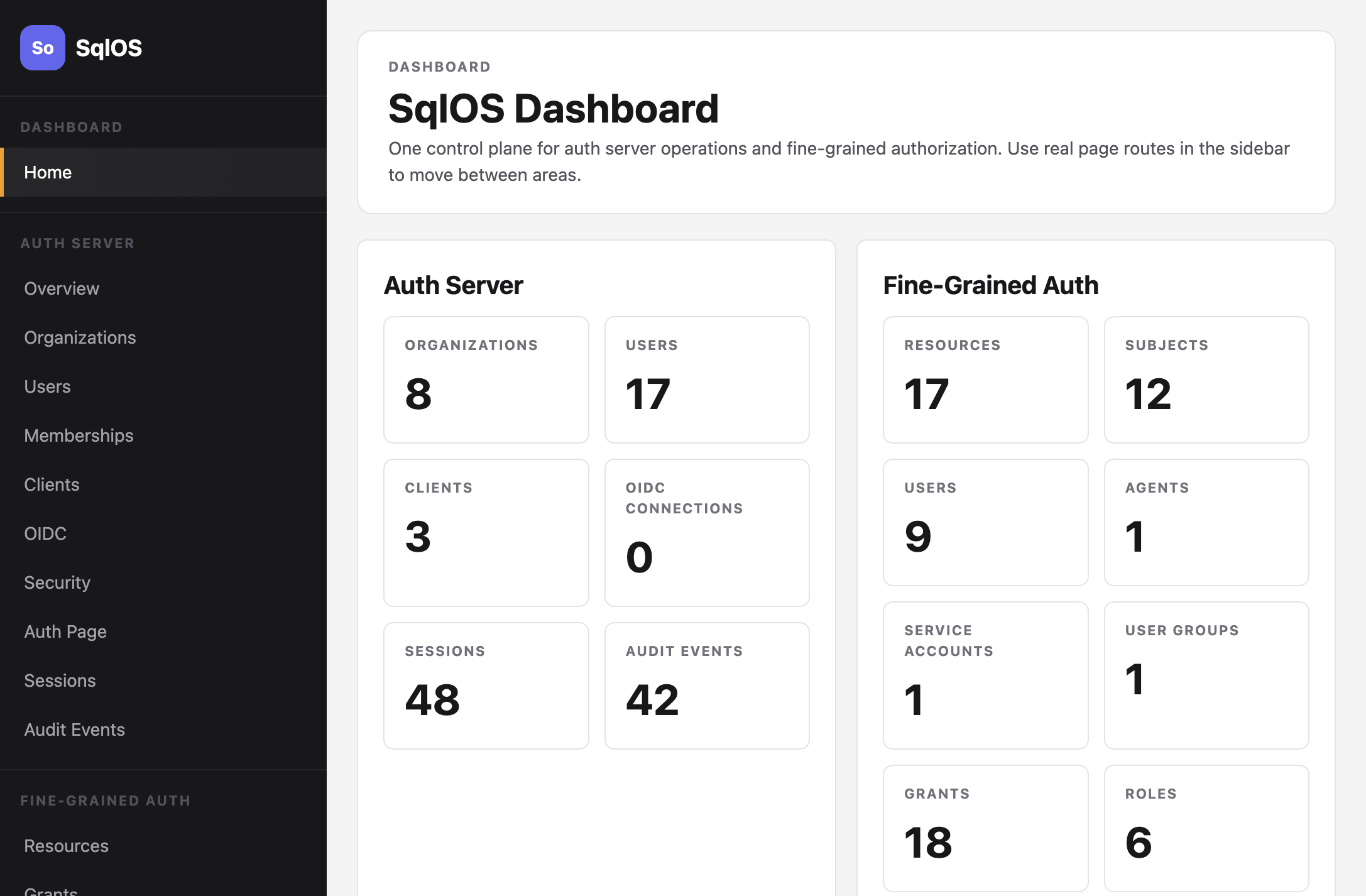
Dashboard
Manage auth and authorization from the embedded admin UI.
The dashboard is admin UI inside your app. It covers AuthServer, Audit Logs, communications, and FGA.
Default path is DashboardBasePath (/sqlos). Register SqlOS with AddSqlOS; the dashboard and its APIs are mapped at startup.
Example: http://localhost:5062/sqlos/. Protect it by assigning dashboard options in the AddSqlOS callback:
options.Dashboard.AuthMode = SqlOSDashboardAuthMode.Password;
options.Dashboard.Password =
    builder.Configuration["SqlOS:Dashboard:Password"]
    ?? throw new InvalidOperationException("SqlOS dashboard password is required.");
The password can come from user secrets, an environment variable, or another configuration provider, but SqlOS does not bind the SqlOS configuration section automatically.
/sqlos and /sqlos/admin are administrative endpoints for users, organizations, memberships, clients, OIDC/SAML connections, security settings, sessions, audit events, and FGA data. In production, keep them on a trusted network or place them behind HTTPS, reverse-proxy or edge rate limiting, and an admin access layer such as VPN, identity-aware proxy, SSO, or MFA.
Password mode includes dashboard-specific per-IP throttling, global backoff for distributed failures, temporary lockout, and audit events for login success, login failure, rate-limit rejection, lockout, and logout. Dashboard password comparisons reserve per-IP and global capacity together before hashing; successful comparisons release that generation, and abandoned reservations remain fail-closed. Treat those built-in controls as a baseline, not as the only protection for a publicly reachable admin surface.
Operator sessions are bound to the configured password. Rotating Dashboard.Password invalidates every outstanding operator session cookie, which makes rotation the incident-response step for a leaked cookie or an unattended workstation; rotating the Data Protection key ring has the same effect. Password comparison and the session binding never write the password to the cookie, logs, or audit events.
Routes under /sqlos/admin/** are operator surfaces, not public management APIs. The dashboard UI is the normal interactive client. For durable automation, prefer a trusted backend that injects the relevant SqlOS service and authorizes the caller, or put the routes behind your identity-aware operator boundary.
In password dashboard mode, a short-lived curl session can use a cookie jar. This example reads the password without placing it in shell history and uses jq only to JSON-escape the value:
export SQLOS_DASHBOARD_COOKIE_JAR="$(mktemp)"
read -rsp "SqlOS dashboard password: " SQLOS_DASHBOARD_PASSWORD && echo

jq -n --arg password "$SQLOS_DASHBOARD_PASSWORD" '{password: $password}' \
  | curl --fail --silent --show-error \
      -c "$SQLOS_DASHBOARD_COOKIE_JAR" \
      -H 'Content-Type: application/json' \
      --data-binary @- \
      http://localhost:5062/sqlos/dashboard-auth/login

unset SQLOS_DASHBOARD_PASSWORD
Admin API examples in this documentation use:
curl -b "$SQLOS_DASHBOARD_COOKIE_JAR" \
  http://localhost:5062/sqlos/admin/auth/api/organizations
The cookie jar contains an operator session. Restrict its permissions, never commit it, and delete it when finished:
rm -f "$SQLOS_DASHBOARD_COOKIE_JAR"
unset SQLOS_DASHBOARD_COOKIE_JAR
With callback dashboard auth, authenticate through the host's configured operator flow instead; a password-mode cookie cannot bypass that boundary. See Production Readiness before exposing any admin route.
| Page | URL | What you can do |
|---|---|---|
| Organizations | /sqlos/admin/auth/organizations | Create tenants, set primary domains for SSO |
| Users | /sqlos/admin/auth/users | Create users with an optional initial password; send reset email for password users |
| Memberships | /sqlos/admin/auth/memberships | Link users to organizations with roles and manage invitations |
| Clients | /sqlos/admin/auth/clients | Register OAuth clients with redirect URIs. Dashboard and DCR/CIMD clients keep ordinary disable/enable; code-owned clients expose emergency disable only |
| Machine clients | /sqlos/admin/auth/machine-clients | Create confidential client_credentials clients, copy the one-time secret, rotate or revoke dashboard-owned clients, emergency-disable code-owned clients, and optionally bind an FGA service account |
| OIDC | /sqlos/admin/auth/oidc | Configure social login providers |
| SSO | /sqlos/admin/auth/sso | Set up SAML enterprise SSO and delegated org-admin setup links |
| Auth Page | /sqlos/admin/auth/settings | Configure hosted/headless credential types, AuthPage branding, and email branding |
| MFA | /sqlos/admin/auth/mfa | Configure global MFA availability, TOTP, self-enrollment, recovery codes, and global requirement policy |
| Security | /sqlos/admin/auth/security | Configure session and token lifetimes |
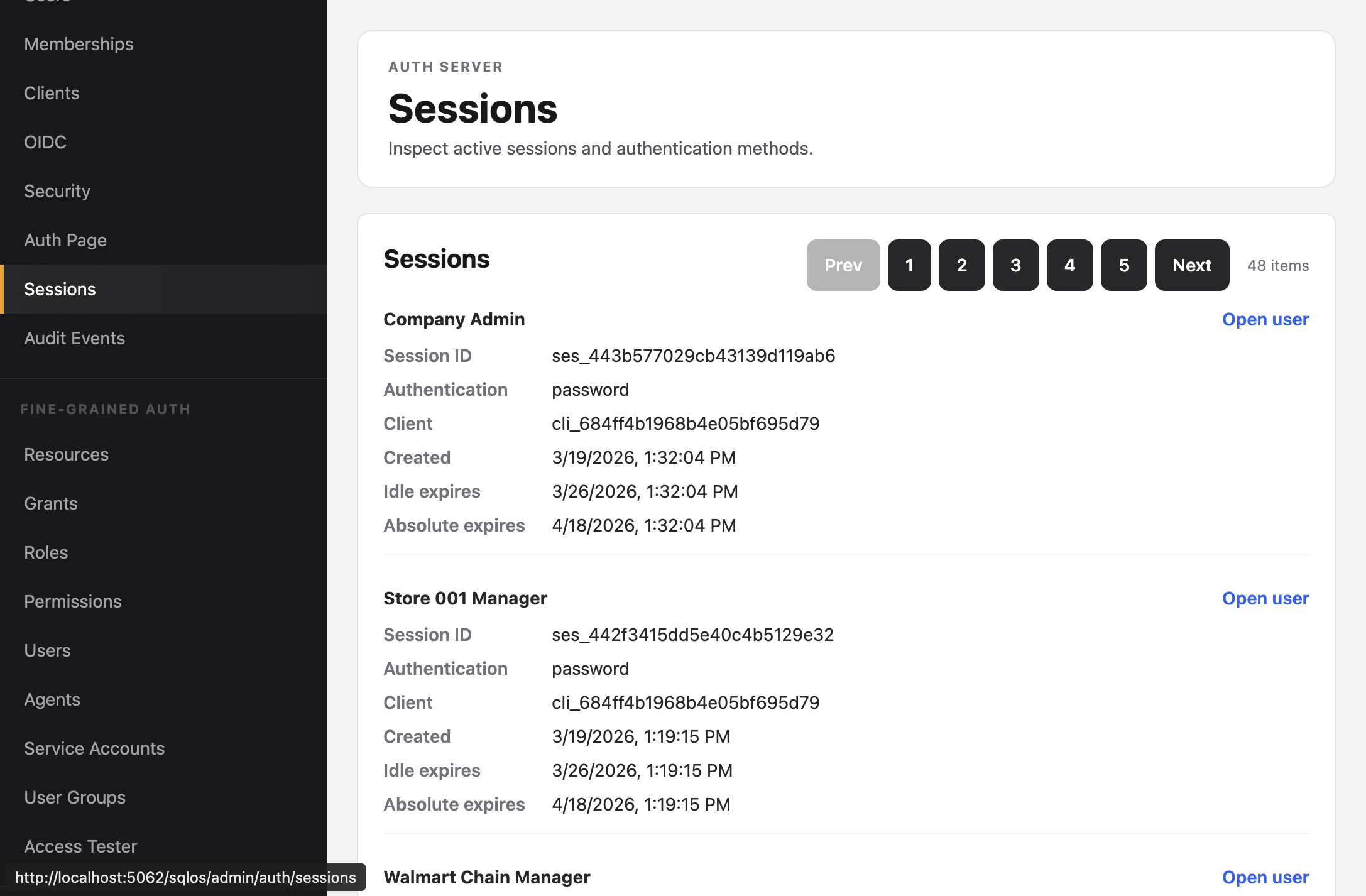
| Sessions | /sqlos/admin/auth/sessions | View and manage active sessions |
| Audit Events | /sqlos/admin/auth/audit | Review authentication events through the central Audit Logs view |
| Page | URL | What you can do |
|---|---|---|
| Audit Logs | /sqlos/admin/audit/logs | Search, filter, inspect, and export SqlOS and host-application audit events |
Audit Logs are a top-level governance surface. Filter by organization, application/client, source, action, actor, target, date range, result/status metadata, or free text. CSV export uses the same filters and is bounded for dashboard use.
The Auth Page settings screen includes email branding for built-in OTP, invitation, and password-reset emails. It stores the application name, logo data URL, primary color, accent color, and background color used by the default templates. AuthPage and email branding are owned independently: a SeedAuthPage or SeedAuthEmails surface is code-owned and read-only in the dashboard until that seed is removed.
For the end-to-end workflow, see Brand hosted authentication and email. Exact feature references remain in Email OTP, Email Invitations, and Email Branding.
Open an organization, choose the SSO tab, and create a setup link when a customer IT admin should configure SAML themselves. The link is scoped to one organization, can be revoked from the same tab, and opens /sqlos/admin/auth/sso-portal instead of the full dashboard.
Follow Let customer admins set up enterprise SSO for the full platform and customer-admin journey, including edge routing, token handling, DNS ownership, enrollment policy, testing, and revocation.
The portal shows Microsoft Entra, Okta, Google Workspace, and generic SAML setup paths. It displays copy-ready SP Entity ID and ACS URL values, verifies the customer email domain through a DNS TXT record, accepts pasted or uploaded metadata XML, validates the IdP entity ID, SSO URL, and signing certificate, then lets the customer activate, disable, replace metadata, and run a SAML test redirect.
Portal launch, open, revoke, provider selection, domain verification, metadata import, activation, disable, and test actions are audit logged with the organization id.
Hosts can disable the bundled portal and redirect opened sessions to their own admin UI with SsoPortal.BuildUiUrl. The same setup state machine is available at /sqlos/admin/auth/sso-portal/api/setup by default.
The MFA page controls application-wide authenticator-app policy:
If MFA settings are managed by a startup seed, the dashboard shows a startup-managed callout because code/config will reapply those values on restart.
Organization-specific MFA policy is available through the admin API and startup seeding in this release. Use it when one tenant requires MFA and another tenant leaves it optional.
For setup details, see MFA and TOTP and Require Authenticator MFA.
FGA pages are native routes in the unified dashboard document. They mount the same bundled FGA component for every list and detail workflow, so direct navigation and refresh retain the complete FGA experience without a nested frame or a second dashboard shell.
| Page | URL | What you can do |
|---|---|---|
| Resources | /sqlos/admin/fga/resources | Browse the resource hierarchy |
| Grants | /sqlos/admin/fga/grants | Manage subject-role-resource assignments |
| Roles | /sqlos/admin/fga/roles | Inspect seeded roles and their permissions |
| Permissions | /sqlos/admin/fga/permissions | Inspect permission keys by resource type |
| Subjects | /sqlos/admin/fga/users | Manage FGA users, agents, service accounts, and groups. A service account is an FGA subject, not an OAuth client. |
| Access Tester | /sqlos/admin/fga/access-tester | Test access decisions with a detailed trace |
The Sessions page lists who is signed in, how, which client, and when it expires. High-cardinality admin tables use Previous/Next cursor windows instead of page numbers; see Admin cursor pagination.