Authorize EF Core queries
Model one protected entity and filter accessible rows in SQL.
Create projects through an audience-protected API and return only projects the signed-in user may read. The application row and its SqlOS resource are saved through the same DbContext.
aud is http://localhost:5050/api.The following Program.cs is a complete one-app host with one protected Project entity:
using Microsoft.EntityFrameworkCore;
using SqlOS;
using SqlOS.AuthServer.Extensions;
using SqlOS.Configuration;
using SqlOS.Extensions;
using SqlOS.Fga.Interfaces;

var builder = WebApplication.CreateBuilder(args);

var connectionString = builder.Configuration.GetConnectionString("DefaultConnection")
    ?? throw new InvalidOperationException(
        "Connection string 'DefaultConnection' was not configured.");

const string publicOrigin = "http://localhost:5050";
const string apiAudience = $"{publicOrigin}/api";
const string projectRead = "project.read";
const string projectOwner = "project_owner";

var dashboardPassword = builder.Configuration["SqlOS:Dashboard:Password"]
    ?? throw new InvalidOperationException(
        "Configure SqlOS:Dashboard:Password with user secrets or your secret store.");

builder.AddSqlOS<AppDbContext>(
    db => db.UseSqlServer(connectionString),
    options =>
    {
        options.AuthServer.PublicOrigin = publicOrigin;
        options.AuthServer.Issuer = $"{publicOrigin}/sqlos/auth";

        options.UseSingleApplication("Acme", app =>
        {
            app.Origin = publicOrigin;
            app.ClientId = "acme-web";
            app.Api = "/api";
            app.Audience = apiAudience;
        });

        options.Dashboard.AuthMode = SqlOSDashboardAuthMode.Password;
        options.Dashboard.Password = dashboardPassword;

        options.Fga.Seed(seed =>
        {
            seed.ResourceType("project", "Project");
            seed.Permission(projectRead, "Read project", "project");
            seed.Role(projectOwner, "Project owner").Can(projectRead);
        });
    });

var app = builder.Build();

var api = app.MapGroup("/api");

api.MapPost("/projects", async (
    CreateProjectRequest request,
    HttpContext http,
    AppDbContext db,
    CancellationToken cancellationToken) =>
{
    var token = http.GetSqlOSValidatedToken();
    if (string.IsNullOrWhiteSpace(token?.UserId))
    {
        return Results.Unauthorized();
    }

    if (string.IsNullOrWhiteSpace(request.Name))
    {
        return Results.BadRequest(new { error = "name is required" });
    }

    var projectId = Guid.NewGuid();
    var project = new Project
    {
        Id = projectId,
        ResourceId = $"project::{projectId:D}",
        Name = request.Name.Trim(),
        CreatedAt = DateTime.UtcNow
    };

    db.Projects.Add(project);

    await db.ProvisionUserSubjectAsync(
        token.UserId,
        displayName: token.UserId,
        organizationId: token.OrganizationId,
        cancellationToken: cancellationToken);

    await db.GrantRoleAsync(
        token.UserId,
        project,
        projectOwner,
        cancellationToken);

    await db.SaveChangesAsync(cancellationToken);

    return Results.Created($"/api/projects/{project.Id}", new
    {
        project.Id,
        project.ResourceId,
        project.Name,
        project.CreatedAt
    });
});

api.MapGet("/projects", async (
    HttpContext http,
    AppDbContext db,
    ISqlOSFgaAuthService authorization,
    CancellationToken cancellationToken) =>
{
    var subjectId = http.GetSqlOSValidatedToken()?.UserId;
    if (string.IsNullOrWhiteSpace(subjectId))
    {
        return Results.Unauthorized();
    }

    var filter = await authorization.BuildFilterAsync<Project>(
        subjectId,
        projectRead);

    var projects = await db.Projects
        .AsNoTracking()
        .Where(filter)
        .OrderBy(project => project.Name)
        .Select(project => new
        {
            project.Id,
            project.ResourceId,
            project.Name,
            project.CreatedAt
        })
        .ToListAsync(cancellationToken);

    return Results.Ok(projects);
});

app.Run();

public sealed class AppDbContext(DbContextOptions<AppDbContext> options)
    : SqlOSDbContext<AppDbContext>(options)
{
    public DbSet<Project> Projects => Set<Project>();

    protected override void OnApplicationModelCreating(ModelBuilder modelBuilder)
    {
        modelBuilder.Entity<Project>(entity =>
        {
            entity.ToTable("Projects");
            entity.HasKey(project => project.Id);
            entity.Property(project => project.ResourceId).HasMaxLength(200);
            entity.HasIndex(project => project.ResourceId).IsUnique();
        });
    }
}

public sealed class Project : ISqlOSResourceEntity
{
    public Guid Id { get; set; }
    public string ResourceId { get; set; } = string.Empty;
    public string Name { get; set; } = string.Empty;
    public DateTime CreatedAt { get; set; }

    public string ResourceTypeId => "project";
    public string ResourceName => Name;
    public string? ParentResourceId => null;
    public string? ResourceDescription => null;
    public bool ResourceIsActive => true;
}

public sealed record CreateProjectRequest(string Name);
Create the Projects table with your normal EF migration workflow. SqlOS owns its own tables; your application migration owns Projects.
ProvisionUserSubjectAsync ensures that subject exists in FGA.Project describes its resource through ISqlOSResourceEntity.GrantRoleAsync grants project_owner to the pending resource.SqlOSDbContext.SaveChangesAsync synchronizes the backing resource before EF commits.The grant remains explicit. Implementing ISqlOSResourceEntity does not grant access by itself.
Start the host and use an access token from the acme-web authorization flow:
curl -X POST http://localhost:5050/api/projects \
  -H "Authorization: Bearer <access-token>" \
  -H "Content-Type: application/json" \
  -d '{"name":"Launch plan"}'
List accessible rows:
curl http://localhost:5050/api/projects \
  -H "Authorization: Bearer <access-token>"
Open /sqlos/admin/fga/resources and confirm the project resource exists. Open Grants and confirm the signed-in subject has project_owner on that resource.
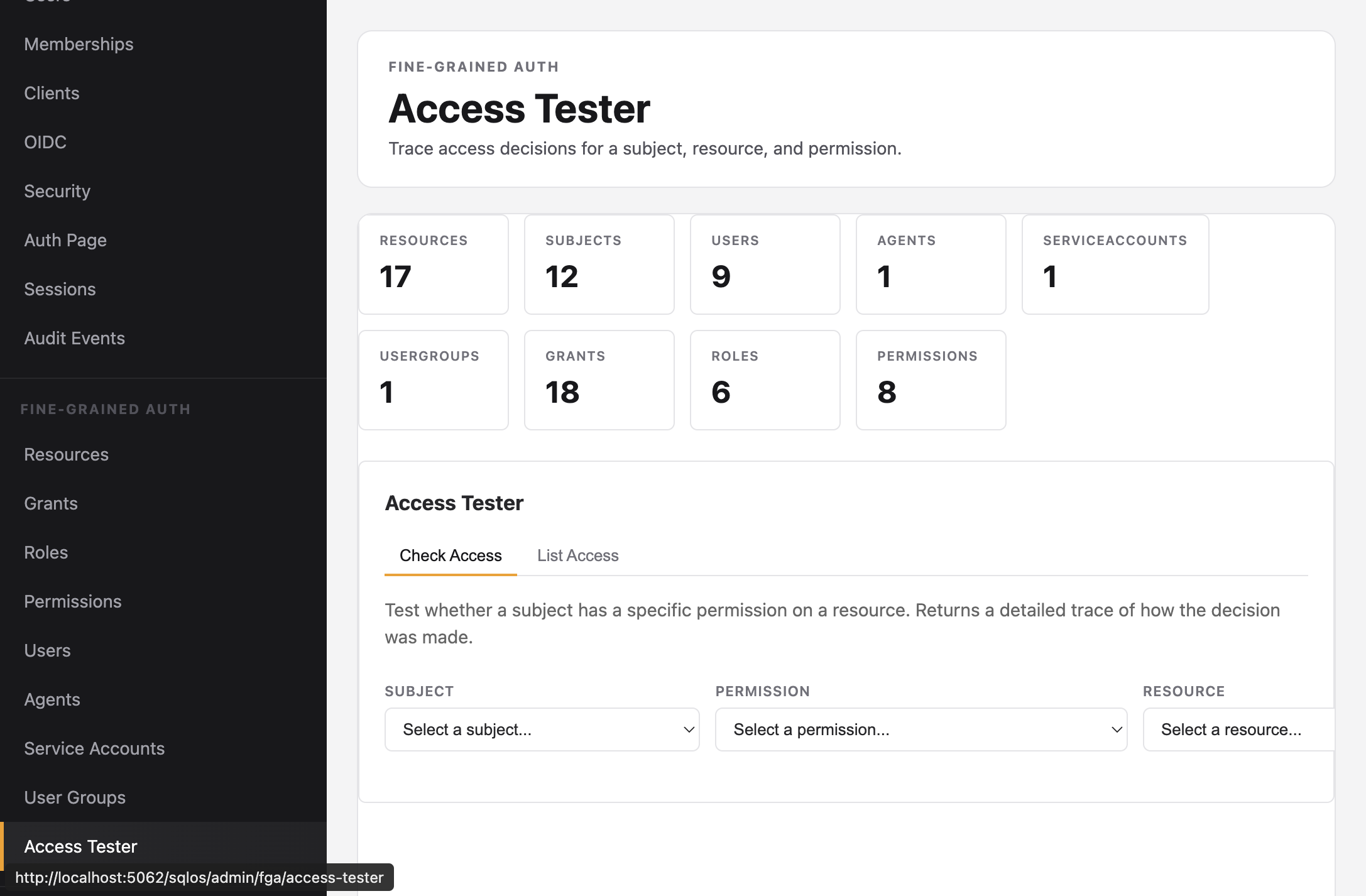
Use the Access Tester to verify the same subject, resource, and permission before comparing the decision with the API response:
Sign in as another user and call the list endpoint. It should not return the first user's project until you explicitly grant that subject an appropriate role.
FGA resource type 'project' was not found#Keep the options.Fga.Seed(...) block and restart the host so startup seeding creates the resource type, permission, role, and role-permission link.
FGA subject ... was not found#Provision the subject before calling GrantRoleAsync. Grants do not create subjects implicitly.
The context must derive from SqlOSDbContext<TContext>, and the tracked entity must implement ISqlOSResourceEntity. Saving through another context bypasses resource synchronization.
Confirm the subject ID comes from the validated token, the role grant targets the entity's exact ResourceId, and the permission key matches the seeded key exactly.
Keep ResourceId as a mapped string property. Call Where(filter) while the query is still IQueryable; do not compile the expression or switch to in-memory enumeration first.
ResourceId property.