Protect an API
Validate SqlOS access tokens for an exact API audience.
Add /api/me to a one-application SqlOS host. Requests without a bearer token receive 401; a valid SqlOS token minted for the configured API audience exposes its user, organization, client, and audience.
http://localhost:5050/api, or another PKCE client that does the same.This is the complete Program.cs from the one-app quickstart with the API surface declared:
using Microsoft.EntityFrameworkCore;
using SqlOS;
using SqlOS.AuthServer.Extensions;
using SqlOS.Configuration;
using SqlOS.Extensions;

var builder = WebApplication.CreateBuilder(args);

var connectionString = builder.Configuration.GetConnectionString("DefaultConnection")
    ?? throw new InvalidOperationException(
        "Connection string 'DefaultConnection' was not configured.");

const string publicOrigin = "http://localhost:5050";
var dashboardPassword = builder.Configuration["SqlOS:Dashboard:Password"]
    ?? throw new InvalidOperationException(
        "Configure SqlOS:Dashboard:Password with user secrets or your secret store.");

builder.AddSqlOS<AppDbContext>(
    db => db.UseSqlServer(connectionString),
    options =>
    {
        options.UseSingleApplication("Acme", app =>
        {
            app.Origin = publicOrigin;
            app.ClientId = "acme-web";
            app.Api = "/api"; // resource id {Origin}/api — scheme audience + PRM
        });

        options.Dashboard.AuthMode = SqlOSDashboardAuthMode.Password;
        options.Dashboard.Password = dashboardPassword;
    });

var app = builder.Build();

var api = app.MapGroup("/api").RequireAuthorization();

api.MapGet("/me", (HttpContext http) =>
{
    var token = http.GetSqlOSValidatedToken();
    if (token is null)
    {
        return Results.Unauthorized();
    }

    return Results.Ok(new
    {
        token.UserId,
        token.OrganizationId,
        token.ClientId,
        token.Audience
    });
});

app.Run();

public sealed class AppDbContext(DbContextOptions<AppDbContext> options)
    : SqlOSDbContext<AppDbContext>(options)
{
}
Declaring Api sets the SqlOS scheme's audience to http://localhost:5050/api, uses that audience for the acme-web client, and serves /.well-known/oauth-protected-resource. RequireAuthorization() on the group is ordinary ASP.NET: missing or wrong-audience tokens get 401 with a Bearer challenge that names realm="Acme API" and the metadata URL. After authentication, HttpContext.User and GetSqlOSValidatedToken() are populated. See token validation.
When the API also serves delegated (especially third-party) clients, inspect GetSqlOSValidatedToken()?.Scope in the handler. Scope bounds the client; per-user, per-resource decisions stay with FGA. See Scopes and Permissions.
The runnable ASP.NET Core sample requests the Todo audience at http://localhost:5080/api/todos. When adapting that handler to this standalone host, register and request http://localhost:5050/api. A valid token for the Todo API is correctly rejected here.
Start the application:
dotnet run --urls http://localhost:5050Without a token:
curl -i http://localhost:5050/api/meExpected result: 401 Unauthorized with a WWW-Authenticate: Bearer challenge.
After completing your acme-web authorization-code flow, call the same endpoint with the returned access token:
curl http://localhost:5050/api/me \
  -H "Authorization: Bearer <access-token>"
Expected result:
{
  "userId": "usr_...",
  "organizationId": "org_...",
  "clientId": "acme-web",
  "audience": "http://localhost:5050/api"
}
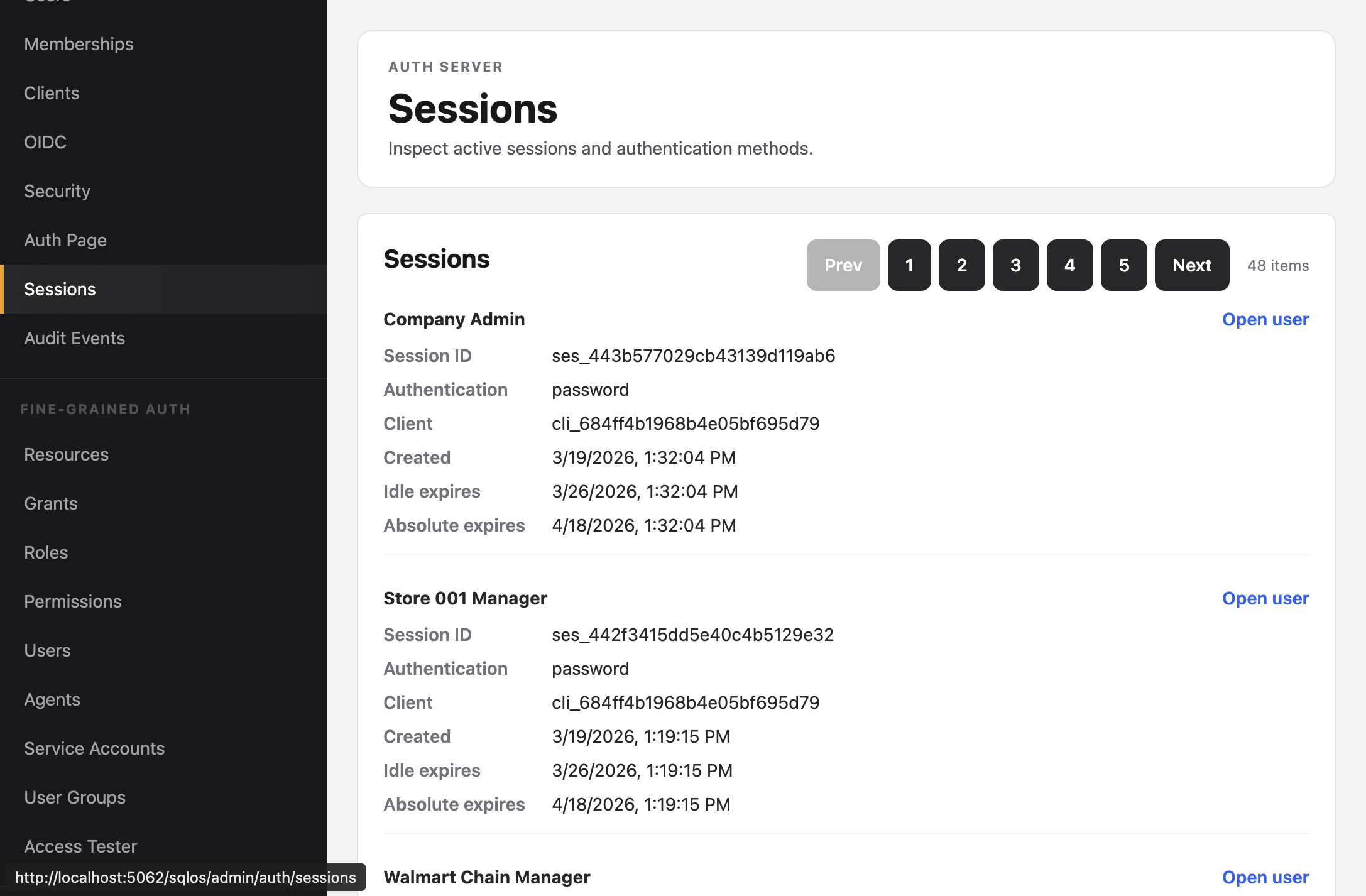
The persisted session remains visible to operators, including its user, client, organization, timestamps, and revocation state:
401#Compare the token's aud claim with {Origin}{Api}. Audience matching is exact. A token minted for another API is intentionally rejected even when the issuer and user are valid.
SqlOS session-aware validation checks that the persisted session exists and is not revoked or absolutely expired. Signing out all sessions, revoking the session, or disabling the client—which revokes its sessions—invalidates an otherwise well-formed JWT. Removing an application assignment blocks new authorization and refresh, but it does not revoke an already-issued access token; revoke the relevant sessions when the policy change must invalidate current access immediately.
GetSqlOSValidatedToken() is null#Confirm the endpoint has RequireAuthorization() and import SqlOS.AuthServer.Extensions.
Bearer validation does not configure CORS. Add an explicit CORS policy for trusted frontend origins; do not use permissive credentials and origins in production.
HttpContext.User; never trust a subject ID supplied in a request body.app.Mcp = "/mcp" next to Api and map Microsoft's SDK with RequireAuthorization("SqlOS.Mcp"); see MCP server.