Troubleshooting
Fix common SqlOS setup, OAuth, SAML, and database issues.
You'll learn how to diagnose connection, OAuth callback, SAML, and migration problems quickly.
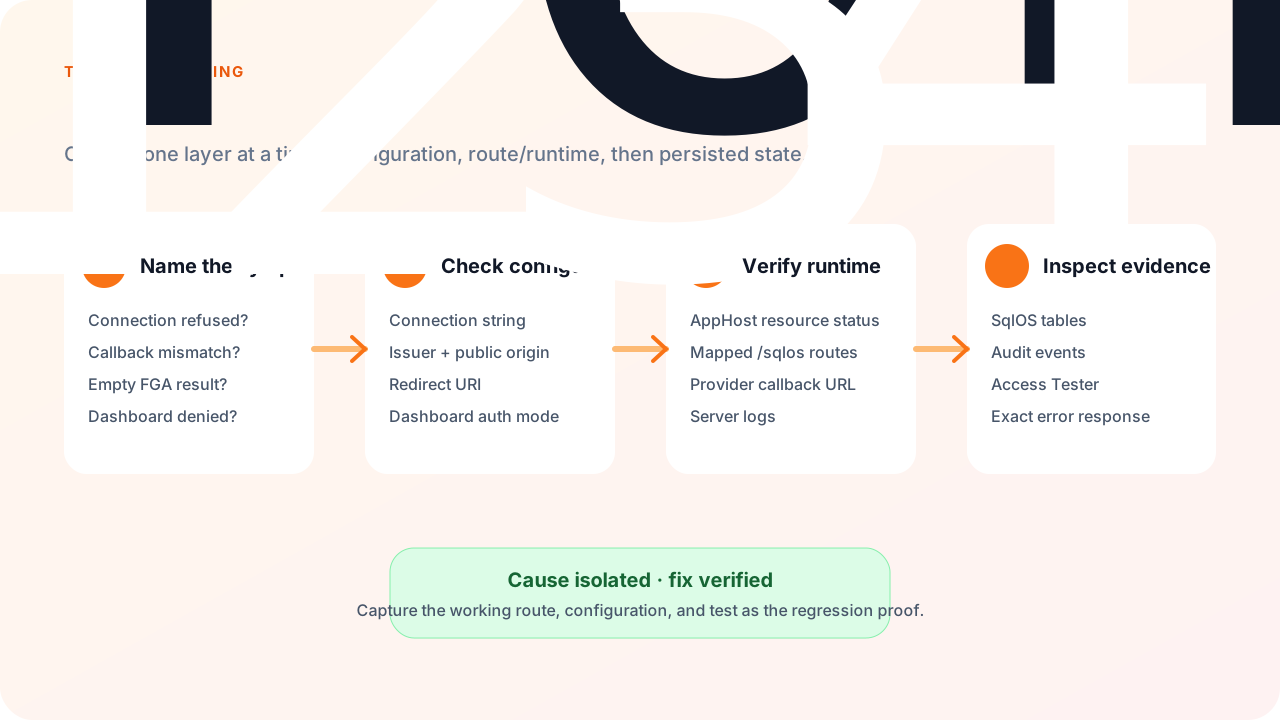
Symptom: App fails at startup with connection string errors.
ConnectionStrings:DefaultConnection is set for your host and sample.TrustServerCertificate=True for local dev containers if needed.Symptom: EF or raw SQL errors referencing SqlOS_* tables.
AddSqlOS<TContext>(...) registered. Schema bootstrap runs from the SqlOS hosted service during startup; the HTTP routes SqlOS maps at startup do not create the schema.SqlOSBootstrapper.InitializeAsync() before migrating (see Configuration).Symptom: redirect_uri_mismatch or invalid_redirect_uri.
connectionId.Symptom: Cannot access /sqlos/admin/auth/.
options.Dashboard.AuthMode and options.Dashboard.Password values assigned in your AddSqlOS callback. SqlOS does not bind the SqlOS configuration section automatically.429 — wait for the lockout window.Symptom: SAML login fails or loops.
Symptom: Users expected SSO but see password login.
Open Auth Server > Security > OTP communications readiness first. The status returns bounded reason codes such as missing_from_address, missing_auth_token, or missing_verify_service_sid without exposing provider credentials. Deployment-owned values must be corrected in host configuration and the application restarted; the dashboard intentionally does not persist them.
Use Send test delivery only with an operator-controlled destination. A test is limited to three sends per destination per hour and creates no SqlOS login challenge. Recent rows distinguish a local configuration problem, provider rejection, and administrative test throttling while retaining only a masked destination. Runtime user-facing OTP errors remain generic.
/sqlos/admin/fga/ to reproduce the check.