Resource Hierarchy
Model your app's data as a tree for inherited permissions.
Resources are a tree. One parent per node; root has none. For access checks, FGA walks up from the target node to root and looks for grants.
Model your app's hierarchy as nested resources:
root
├── org::acme (Organization)
│   ├── workspace::1 (Workspace)
│   │   └── document::1 (Document)
│   └── workspace::2 (Workspace)
└── org::globex (Organization)
└── workspace::3 (Workspace)For protected application rows, implement ISqlOSResourceEntity and return the parent resource ID from ParentResourceId.
public sealed class Workspace : ISqlOSResourceEntity
{
    public Guid Id { get; set; }
    public string ResourceId { get; set; } = "";
    public string OrganizationId { get; set; } = "";
    public string Name { get; set; } = "";

    public string ResourceTypeId => "workspace";
    public string ResourceName => Name;
    public string ParentResourceId => $"org::{OrganizationId}";
    public string? ResourceDescription => null;
    public bool ResourceIsActive => true;
}
When the entity is saved, SqlOSDbContext<TContext> creates or updates the resource at that point in the hierarchy.
db.Workspaces.Add(new Workspace
{
    Id = workspaceId,
    ResourceId = $"workspace::{workspaceId:D}",
    OrganizationId = organizationId,
    Name = "Operations"
});

await db.SaveChangesAsync(ct);Use manual resource APIs for hierarchy nodes that are not application rows, such as tenant or organization roots:
await db.ProvisionResourceWithIdAsync(
    $"org::{organization.Id}",
    "organization",
    organization.Name,
    parentResourceId: "root",
cancellationToken: ct);When checking WORKSPACE_VIEW on workspace::1:
workspace::1.org::acme.root.WORKSPACE_VIEW, access is allowed.This means a single grant at the organization level can authorize resources underneath it without creating per-resource grants.
Path: Fine-Grained Auth > Resources
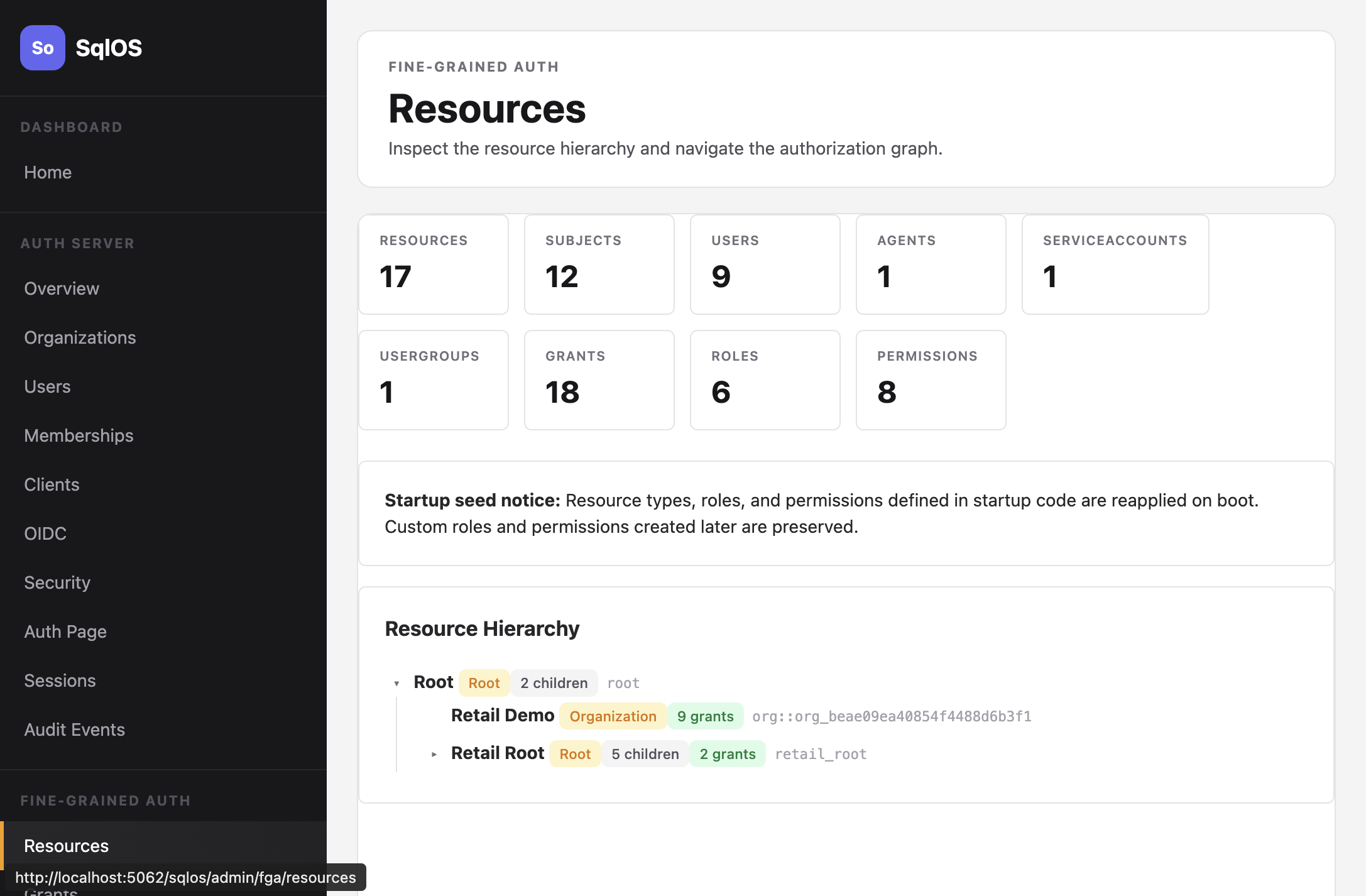
The Resources page shows the full tree with resource types, child counts, and grant counts.