Add GitHub sign-in
Create a GitHub OAuth App and enable GitHub social login from the SqlOS dashboard or startup code.
You'll learn how to create the GitHub OAuth App, register the SqlOS callback URL, and enable the provider from either the dashboard or code.
AddSqlOS/sqlos/admin/auth/Users see Continue with GitHub on the hosted AuthPage or your headless login UI. After GitHub redirects back to SqlOS, SqlOS resolves the user's GitHub profile, requires a verified primary email address, and completes the normal SqlOS login flow.
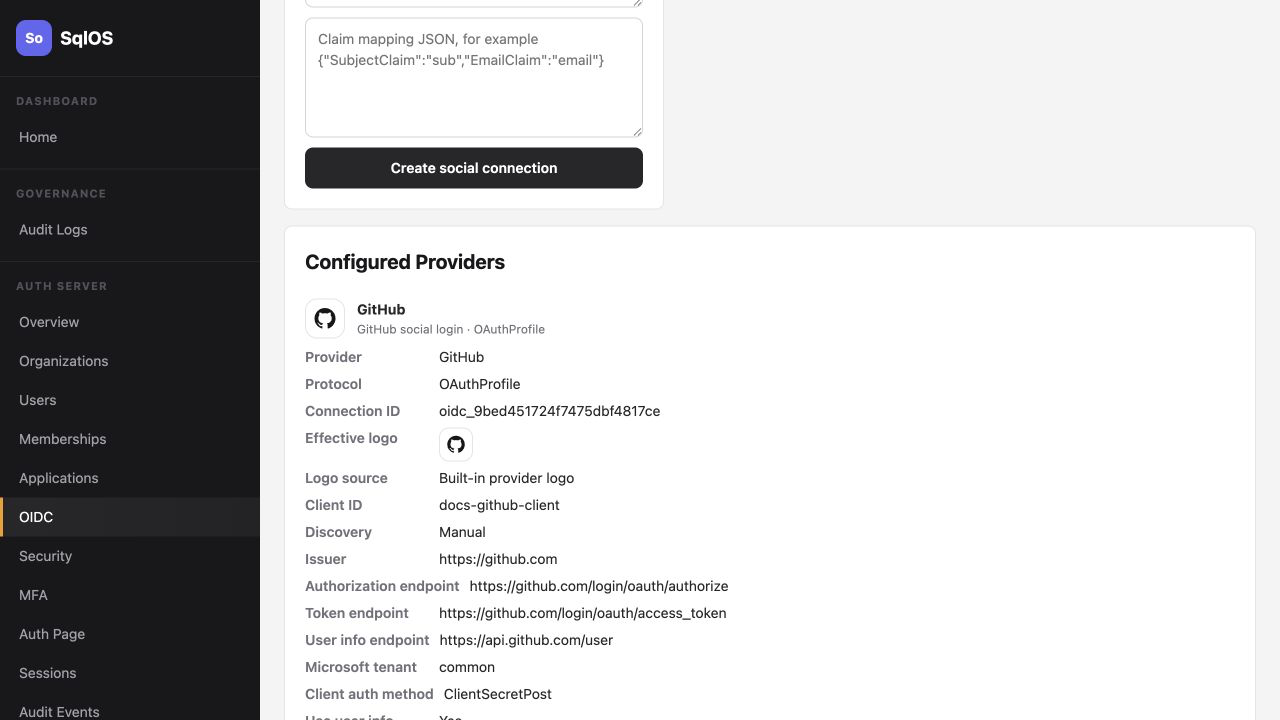
SqlOS shows GitHub beside the OIDC providers because it uses the same social login connection, dashboard, hosted AuthPage, and headless API surface. GitHub login itself is OAuth 2.0 with profile and email API lookups, not an OIDC ID-token flow.
For the default SqlOS mount path, the provider callback URL is:
https://your-app.example.com/sqlos/auth/oidc/callbackFor local development with the default SqlOS base path:
http://localhost:5062/sqlos/auth/oidc/callbackIf you changed DashboardBasePath or AuthServer.BasePath, use:
{AuthServer.PublicOrigin}{AuthServer.BasePath}/oidc/callbackThe dashboard shows the exact callback URI for the current app origin and base path. Use the dashboard value as the source of truth when setting up GitHub.
/sqlos/admin/auth/oidc in your running app.GitHubread:user and user:email.GitHub OAuth Apps allow one authorization callback URL. Use separate GitHub OAuth Apps for local, staging, and production when those environments have different callback URLs.
For repeatable environments, seed the GitHub connection at startup instead of creating it by hand in the dashboard:
var publicOrigin = builder.Configuration["SqlOS:PublicOrigin"]
    ?? "https://your-app.example.com";

builder.AddSqlOS<AppDbContext>(options =>
{
    options.AuthServer.PublicOrigin = publicOrigin;

    options.AuthServer.SeedGitHubConnection(
        clientId: builder.Configuration["SqlOS:Oidc:GitHub:ClientId"]!,
        clientSecret: builder.Configuration["SqlOS:Oidc:GitHub:ClientSecret"]!,
        $"{publicOrigin}/sqlos/auth/oidc/callback");
});
Store the secret outside source control:
dotnet user-secrets set "SqlOS:Oidc:GitHub:ClientId" "YOUR_GITHUB_CLIENT_ID"
dotnet user-secrets set "SqlOS:Oidc:GitHub:ClientSecret" "YOUR_GITHUB_CLIENT_SECRET"
dotnet user-secrets set "SqlOS:PublicOrigin" "https://localhost:5001"/sqlos/auth/login./sqlos/admin/auth/users and /sqlos/admin/auth/sessions to confirm the user and session were created.| Error | Fix |
|---|---|
redirect_uri_mismatch or GitHub callback error | The GitHub OAuth App callback must exactly match the SqlOS provider callback URL. |
| Login fails after GitHub authorization | Confirm the user has a verified primary email address in GitHub. |
| Provider button does not appear | Enable the GitHub connection and check that it appears in /sqlos/auth/oidc/providers. |
| Works locally but not in production | Set AuthServer.PublicOrigin to the public origin and register that production callback URL in GitHub. |