Brand hosted authentication and email
Apply one product identity to hosted login, signup, OTP, invitations, and password reset.
Users should experience one coherent product identity across:
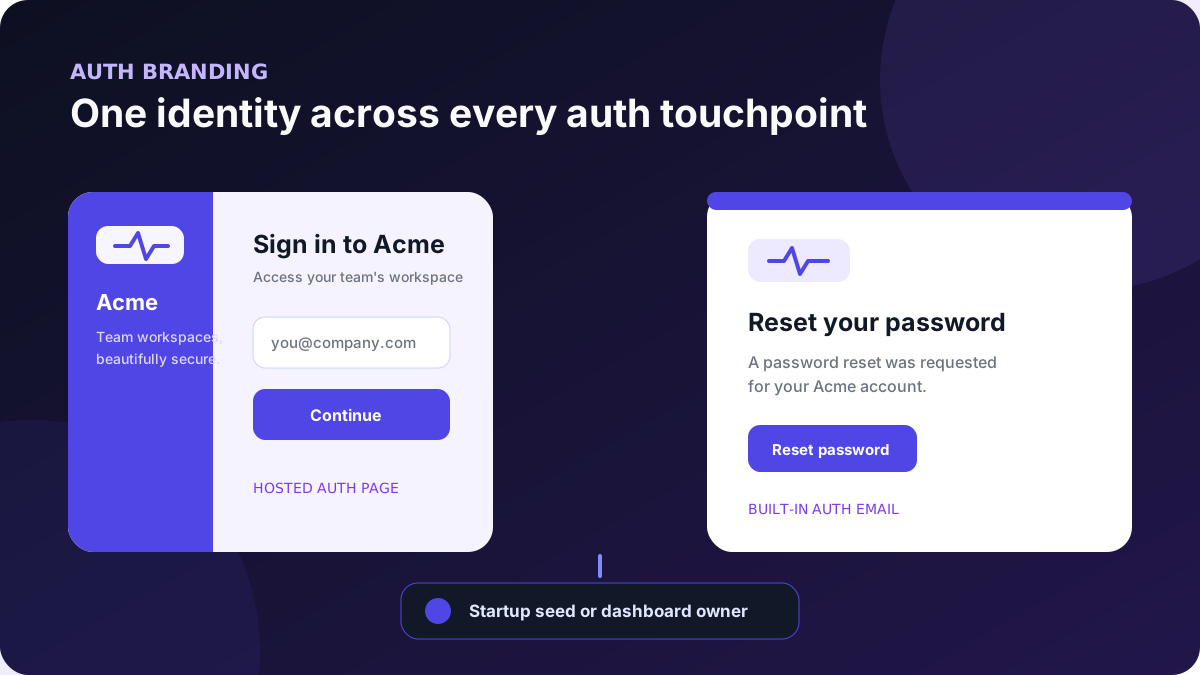
Branding changes presentation. It does not enable a credential provider, alter OAuth clients, or replace the authorization and tenant checks behind account-management workflows.
SqlOS supports two durable operating models:
| Owner | Configure with | Best for |
|---|---|---|
| Application startup | SeedAuthPage(...) and SeedAuthEmails(...) | repeatable local, preview, and production environments controlled by code/configuration |
| Dashboard operator | Auth Page and Email Branding | installations where authorized operators own product presentation at runtime |
Startup seeds claim the matching surface as code owned on first reconcile (auth-page:default or auth-email:default). While that seed remains, dashboard and admin API writes to the same surface are rejected. Removing the seed orphans the record and leaves the last values in place; it does not hand ownership to the dashboard or revert colors, copy, or logos.
AuthPage and email branding are owned independently. You can keep hosted page branding in source control while operators own email branding, or the reverse.
Choose one owner per surface per environment. A common rollout is to seed initial values, remove the seeds after the first deployment, and then let the next dashboard save claim that orphaned or unclaimed surface. If you use UseSingleApplication, also disable its implicit branding seeds during that handoff, as shown in Use the dashboard instead. Do not leave a seed configured if operators should own the surface.
UseSingleApplication("Acme", ...) creates code-owned AuthPage and email seeds by default, even when you do not call SeedAuthPage or SeedAuthEmails. Add explicit seed configuration when you want deliberate colors, layout, copy, or logo values.
LogoBase64 expects an image data URL, not a filesystem path or public image URL:
data:image/png;base64,iVBORw0KGgo...Load it through configuration rather than placing a large or sensitive environment-specific value directly in source:
dotnet user-secrets set "SqlOS:Branding:LogoDataUrl" \
  "data:image/png;base64,..."
Use a compact PNG, JPEG, SVG data URL, or other browser-supported image type. Verify the exact asset in the hosted page and email clients you support.
Start with the single-application setup, then provide the explicit visual seed:
var logoDataUrl = builder.Configuration["SqlOS:Branding:LogoDataUrl"];

builder.AddSqlOS<AppDbContext>(options =>
{
    options.UseSingleApplication("Acme", app =>
    {
        app.Origin = "https://app.acme.example";
        app.Audience = "https://app.acme.example/api";
    });

    options.AuthServer.SeedAuthPage(page =>
    {
        page.PageTitle = "Sign in to Acme";
        page.PageSubtitle = "Access your team's workspace";
        page.LogoBase64 = logoDataUrl;
        page.PrimaryColor = "#4f46e5";
        page.AccentColor = "#111827";
        page.BackgroundColor = "#f5f3ff";
        page.Layout = "split";

        page.EnablePasswordSignup = true;
        page.EnabledCredentialTypes = ["password", "email_otp"];
    });
});
The visual fields control:
| Field | Hosted effect |
|---|---|
PageTitle / PageSubtitle | primary page copy |
LogoBase64 | product mark |
PrimaryColor | primary controls and emphasis |
AccentColor | headings and foreground accents |
BackgroundColor | surrounding page surface |
Layout = "split" | form plus secondary brand panel |
Layout = "stacked" | compact centered presentation without the secondary panel |
Only split and stacked are valid layouts. Color fields accept #RGB, #RRGGBB, #RRGGBBAA, rgb()/rgba(), hsl()/hsla(), or transparent. SqlOS rejects HTML, URLs, CSS rule delimiters, and any other executable content on the code seed, API, and dashboard write paths. Use six-digit #RRGGBB when the same value should render consistently in both the hosted page and built-in email. A legacy stored value that is no longer valid is ignored at render time and replaced with the built-in default for that field.
EnabledCredentialTypes and EnablePasswordSignup change which authentication journeys users may start. Configure and test each provider before adding it to the list. Do not enable Email OTP, phone OTP, or a social button merely to change page appearance.
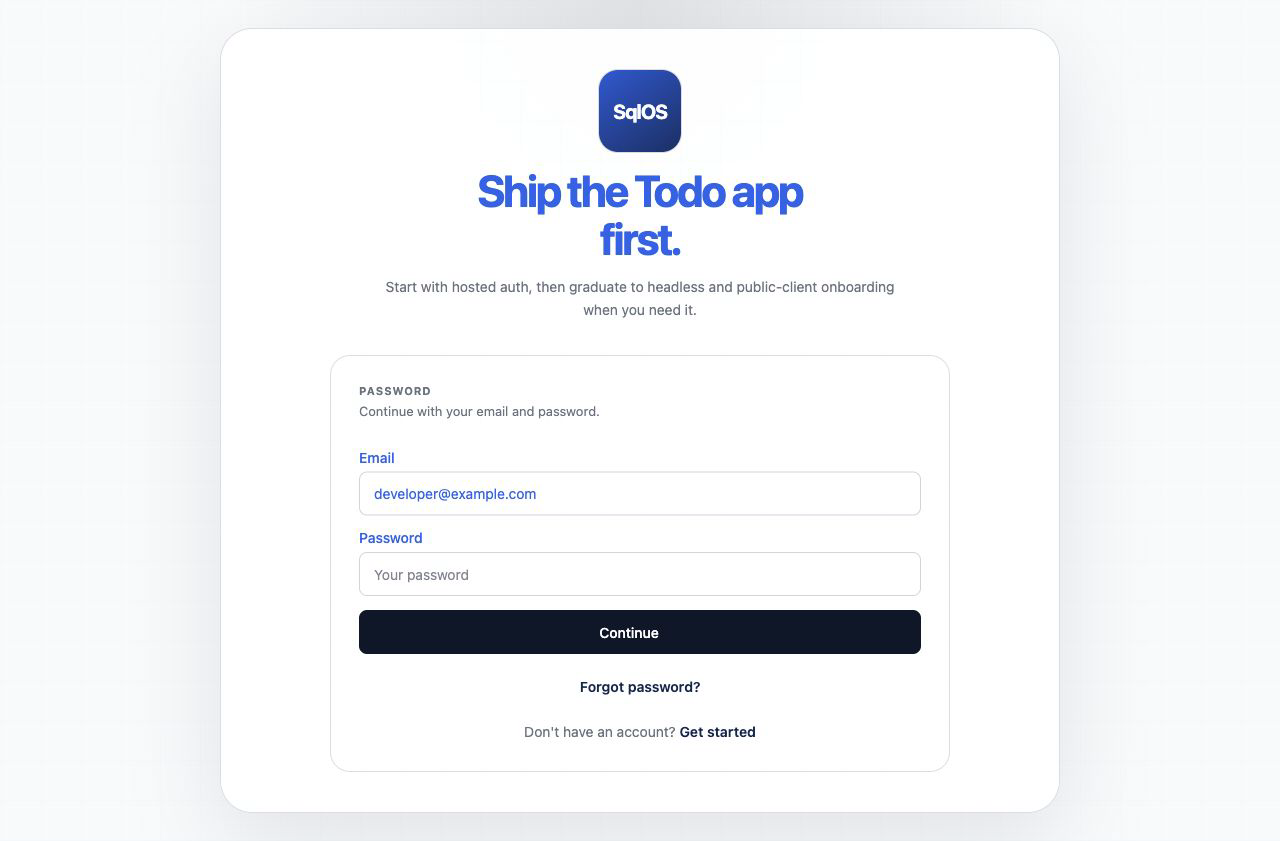
Add a separate email seed:
options.AuthServer.SeedAuthEmails(email =>
{
    email.ApplicationName = "Acme";
    email.LogoBase64 = logoDataUrl;
    email.PrimaryColor = "#4f46e5";
    email.AccentColor = "#111827";
    email.BackgroundColor = "#f5f3ff";
});
This branding is consumed by the built-in templates for:
auth.email-otp;auth.invitation;auth.password-reset.AuthPage and email branding are separate settings because browser and email presentation often need different assets or contrast. The email logo resolves in this order:
SeedAuthEmails;The color resolver also falls back to the corresponding AuthPage color when an existing stored email color is missing. Current startup seeds and dashboard forms require email colors and initialize defaults, so configure explicit email colors rather than trying to leave those fields empty.
The email application name resolves from the stored email-branding value. Before one exists, SqlOS initializes it from the invitation application name when configured, then the Email OTP application name, then SqlOS.
An invitation-specific application name can still override the name for that invitation workflow.
Leave email.LogoBase64 empty in a preview environment and confirm the AuthPage logo appears in built-in email. Then set an email-specific logo and confirm it takes precedence. Do not assume fallback from one successful client render.
When operators own branding, do not keep the corresponding startup seeds configured. UseSingleApplication enables implicit AuthPage and email seeds by default, so dashboard ownership requires disabling those defaults too:
options.UseSingleApplication("Acme", app =>
{
    app.Origin = "https://app.acme.example";
    app.Audience = "https://app.acme.example/api";
    app.ConfigureAuthPageBranding = false;
    app.ConfigureEmailBranding = false;
});
Disable only the surface an operator owns. For example, keep ConfigureEmailBranding = true when email branding should remain startup-managed.
Open:
/sqlos/admin/auth/settingsUse Auth Page to edit the hosted title, subtitle, logo, colors, layout, signup, and credential list. Use Email Branding to edit the application name and email-specific logo/colors. Each Logo upload control reads the selected image into the adjacent data-URL field; save the form after choosing the file. Clear the email logo field when email should reuse the AuthPage logo.
The dashboard shows a Code owned callout and disables the form for any surface still claimed by a startup seed. First dashboard save on an unclaimed system default claims that surface for operators.
Dashboard changes are persisted immediately. They affect newly rendered pages and messages; they do not rewrite email already submitted to a provider.
The page also exposes authentication behavior. Apply the same review discipline as code configuration when changing signup or credential types.
Use the right surface for each concern:
| Concern | Owner |
|---|---|
| Hosted browser layout, title, logo, and colors | AuthPage branding |
| Built-in auth email product identity and colors | Email Branding |
| Stored subject, HTML, and text copy | Communications > Email Templates |
| Completely custom auth message layout/provider payload | BuildMessage callbacks or custom sender |
| Custom headless browser/native UI | Your frontend |
Headless Auth uses the same SqlOS OAuth and credential state machine, but your application renders the screens. SqlOS includes the resolved AuthPage settings in the headless view model; your frontend may reuse those values, but SqlOS does not apply the layout or styling to custom UI. Built-in auth email can still use SqlOS email branding independently.
Do not stop after checking the settings form. Test what a user actually receives.
split and stacked if both are supported by your product;Use a development capture sender or inbox you control. Never paste a live OTP, invitation token, or password-reset link into an issue, screenshot, test fixture, or public review.
UseSingleApplication branding flags disabled—change the dashboard value, restart, and confirm the persisted operator value remains;dotnet test tests/SqlOS.Tests/SqlOS.Tests.csproj \
--filter "FullyQualifiedName~SqlOSAuthPageRendererTests|FullyQualifiedName~SqlOSSingleApplicationTests|FullyQualifiedName~SqlOSTransactionalEmailTests"These tests cover configured hosted rendering, single-application defaults, stored templates, and sensitive built-in delivery behavior. Your product review must still inspect its actual logo, palette, copy, and supported clients.