Account recovery and device sessions
Send enumeration-safe password reset email and build an ownership-checked session manager for signed-in users.
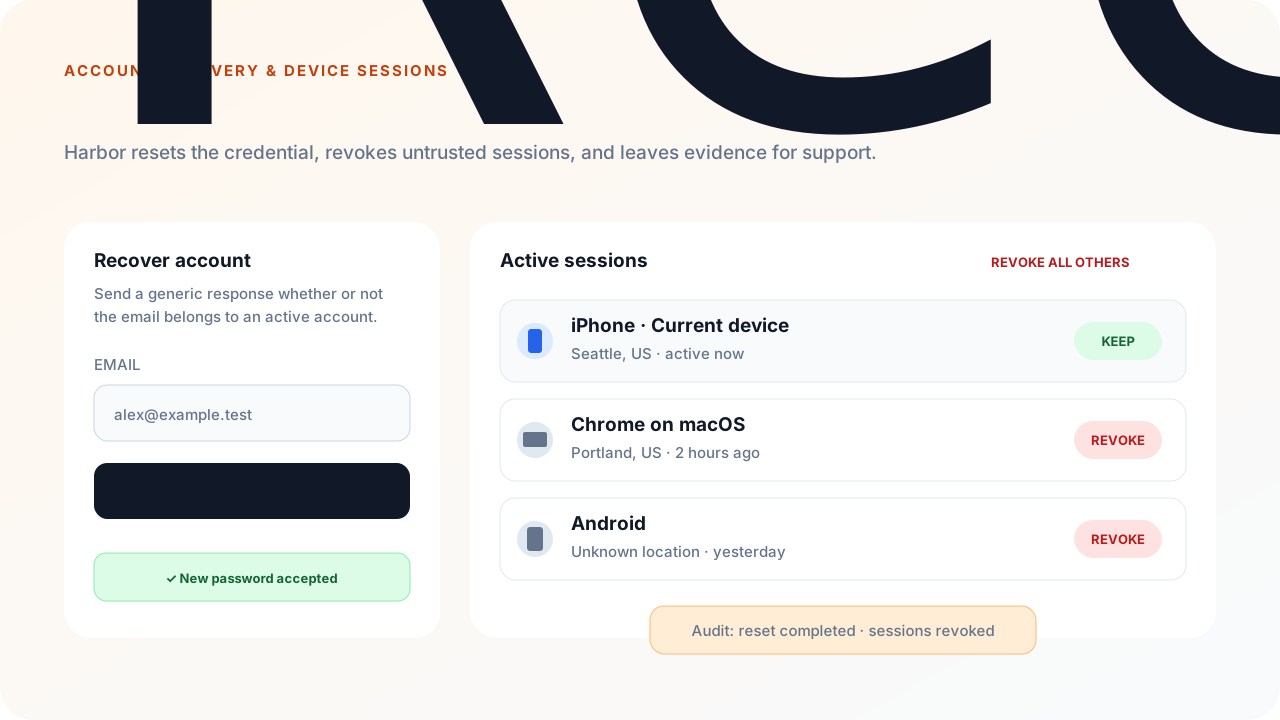
This guide builds Harbor Notes, a fictional notes app. A user can request a password reset without revealing whether an account exists, set a new password through a one-time link, sign back in, and review or revoke sessions from a Your devices screen.
ResetPasswordAsync updates the local password but does not revoke existing sessions. LogoutAsync and LogoutAllAsync revoke sessions but do not authorize the caller. Harbor must compose those operations behind its own authenticated ownership and step-up checks.
Harbor should provide two deliberately different surfaces:
The signed-in device screen should show the current session, authentication method, client, created/last-seen time, and active state. It should support revoking one owned session, all other devices, or every session after confirmation.
builder.AddSqlOS<HarborDbContext>(options =>
{
    options.ConfigureEmail(email =>
    {
        email.AzureCommunicationServicesConnectionString =
            builder.Configuration["SqlOS:Email:AzureCommunicationServicesConnectionString"];
        email.FromAddress = builder.Configuration["SqlOS:Email:FromAddress"];
    });

    var auth = options.AuthServer;
    auth.PublicOrigin = "https://identity.harbor.example";
    auth.Issuer = "https://identity.harbor.example/sqlos/auth";
    auth.EnableLocalPasswordAuth = true;
    auth.AccessTokenLifetime = TimeSpan.FromMinutes(10);

    auth.ConfigurePasswordReset(reset =>
    {
        reset.TokenLifetime = TimeSpan.FromMinutes(30);
        reset.ResendCooldown = TimeSpan.FromSeconds(30);
        reset.RateLimitWindow = TimeSpan.FromHours(1);
        reset.MaxRequestsPerEmailPerWindow = 5;
        reset.MaxRequestsPerIpPerWindow = 60;
        reset.MaxRequestsPerClientPerWindow = 300;
    });

    auth.SeedAuthEmails(email =>
    {
        email.ApplicationName = "Harbor Notes";
        email.PrimaryColor = "#0369a1";
        email.AccentColor = "#0f172a";
        email.BackgroundColor = "#f0f9ff";
    });

    auth.SeedAuthPage(page =>
    {
        page.PageTitle = "Sign in to Harbor Notes";
        page.EnabledCredentialTypes = ["password"];
        page.EnablePasswordSignup = true;
    });

    auth.SeedClient(client =>
    {
        client.ClientId = "harbor-web";
        client.Name = "Harbor Notes";
        client.Audience = "https://api.harbor.example";
        client.RedirectUris = ["https://app.harbor.example/auth/callback"];
        client.AllowedScopes = ["openid", "profile", "email", "offline_access"];
        client.ClientType = "public_pkce";
        client.RequirePkce = true;
        client.IsFirstParty = true;
    });
});
SqlOS creates the auth.password-reset transactional template automatically. Configure its branding in Dashboard > Auth Page > Email Branding and its copy in Dashboard > Communications > Templates.
Password reset is available only when local password auth is enabled and the active user already has a non-revoked password credential. Passwordless, SSO-only, unknown, and inactive accounts receive the same public response but no reset email.
Hosted AuthPage exposes the complete flow:
GET  /sqlos/auth/password/forgot
POST /sqlos/auth/password/forgot/submit
GET  /sqlos/auth/password/reset?token=...
POST /sqlos/auth/password/reset/submit
The request response is always equivalent to:
If an account can be reset, you'll receive a password reset email shortly.
SqlOS stores only the reset-token hash, consumes any previous active reset token for that user when issuing a new one, and consumes the current token exactly once during reset. Delivery failure also returns the same public result while recording an internal audit event.
Headless reset requests support ResetUrlTemplate, but the caller supplies that value. Never forward an arbitrary browser value into it. A reset URL carries the raw token in email; choose a fixed allowlisted URL in server code or use the built-in hosted reset page.
If Harbor owns the recovery screens, wrap the service instead of letting the browser choose the reset destination:
using SqlOS.AuthServer.Contracts;
using SqlOS.AuthServer.Services;

app.MapPost("/api/recovery/request", async (
    HarborRecoveryRequest request,
    HttpContext http,
    SqlOSAuthService authService,
    CancellationToken ct) =>
{
    var result = await authService.RequestPasswordResetEmailAsync(
        new SqlOSSendPasswordResetEmailRequest(
            Email: request.Email,
            ResetUrlTemplate: "https://app.harbor.example/recover?token={token}",
            ClientId: "harbor-web"),
        http,
        ct);

    return Results.Ok(new
    {
        result.Message,
        result.NextAllowedSendAt
    });
});

app.MapPost("/api/recovery/reset", async (
    HarborPasswordResetRequest request,
    SqlOSAuthService authService,
    CancellationToken ct) =>
{
    // SqlOS hashes the password but does not define Harbor's password policy.
    if (string.IsNullOrWhiteSpace(request.NewPassword)
        || request.NewPassword.Length is < 12 or > 256)
    {
        return Results.BadRequest(new
        {
            message = "Use between 12 and 256 characters."
        });
    }

    await authService.ResetPasswordAsync(
        new SqlOSResetPasswordRequest(request.Token, request.NewPassword),
        ct);

    return Results.NoContent();
});

public sealed record HarborRecoveryRequest(string Email);
public sealed record HarborPasswordResetRequest(string Token, string NewPassword);
Add the rest of Harbor's password policy here: maximum length, compromised-password screening, and product-specific rules. Never log request bodies for the reset endpoint, because both the reset token and new password are secrets.
A product-owned recovery UI on AuthPage should use @sqlos/headless (flow.password.forgot / flow.password.reset). Views are forgot-password, forgot-password-sent, and password-reset. Actions resolve on validation errors — read error and fieldErrors. See Build your own login and signup UI.
await flow.password.forgot({ email });
await flow.password.reset({ token, newPassword });
The equivalent HTTP wire routes are:
POST /sqlos/auth/headless/password/forgot
POST /sqlos/auth/headless/password/resetThe recovery request remains public — do not put RequireAuthorization() on those routes. Device management does. Declare app.Api = "/api" and lock account endpoints against Harbor's API audience:
using SqlOS.AuthServer.Extensions;

var account = app.MapGroup("/api/account").RequireAuthorization();
Do not use user ids from route parameters, forms, query strings, or JSON to decide whose sessions are visible.
SqlOSAdminService.ListUserSessionsAsync is useful for trusted admin/server surfaces, but it returns session history—including revoked or expired rows—and raw user-agent/IP fields. A user-facing endpoint should project only the fields Harbor intends to display and compute active state explicitly.
For a platform-operator workflow, use SqlOSSessionRevocationService or the dashboard Sessions page instead. Those surfaces provide bounded preview, explicit confirmation, idempotent execution, refresh-token invalidation, and audit records. They are platform-admin capabilities; do not expose their arbitrary user/organization/client selectors to an end-user account page.
using Microsoft.EntityFrameworkCore;
using SqlOS.AuthServer.Extensions;
using SqlOS.AuthServer.Models;

app.MapGet("/api/account/sessions", async (
    HttpContext http,
    HarborDbContext db,
    CancellationToken ct) =>
{
    var actor = http.GetSqlOSValidatedToken();
    if (actor?.UserId is null)
    {
        return Results.Unauthorized();
    }

    var now = DateTime.UtcNow;
    var sessions = await db.Set<SqlOSSession>()
        .AsNoTracking()
        .Where(session => session.UserId == actor.UserId)
        .OrderByDescending(session => session.LastSeenAt)
        .Select(session => new
        {
            session.Id,
            IsCurrent = session.Id == actor.SessionId,
            session.AuthenticationMethod,
            session.ClientApplicationId,
            session.CreatedAt,
            session.LastSeenAt,
            session.IdleExpiresAt,
            session.AbsoluteExpiresAt,
            IsActive = session.RevokedAt == null
                && session.IdleExpiresAt > now
                && session.AbsoluteExpiresAt > now,
            session.RevokedAt,
            session.UserAgent
        })
        .ToListAsync(ct);

    return Results.Ok(sessions);
});
The query predicate is the ownership boundary. Harbor can convert UserAgent into a friendly browser/OS label after querying. If it displays IP information, mask it and explain that proxy configuration affects which address SqlOS records.
LogoutAsync can revoke by refresh token or session id, but it does not check that the caller owns the supplied session. Check ownership first and return 404 for both missing and foreign sessions:
app.MapDelete("/api/account/sessions/{sessionId}", async (
    string sessionId,
    HttpContext http,
    HarborDbContext db,
    SqlOSAuthService authService,
    CancellationToken ct) =>
{
    var actor = http.GetSqlOSValidatedToken();
    if (actor?.UserId is null)
    {
        return Results.Unauthorized();
    }

    var ownedSessionId = await db.Set<SqlOSSession>()
        .AsNoTracking()
        .Where(session =>
            session.Id == sessionId
            && session.UserId == actor.UserId
            && session.RevokedAt == null)
        .Select(session => session.Id)
        .SingleOrDefaultAsync(ct);

    if (ownedSessionId is null)
    {
        return Results.NotFound();
    }

    await authService.LogoutAsync(
        refreshToken: null,
        sessionId: ownedSessionId,
        cancellationToken: ct);

    return Results.NoContent();
});
Revoking a session also revokes its active refresh tokens and records user.logout. If the user revokes the current session, Harbor must immediately delete its local access/refresh credentials and return to sign-in.
Bulk revocation is a high-risk action. HarborStepUpPolicy below is app-owned and should require a recent password, MFA challenge, or equivalent strong reauthentication before returning true.
app.MapPost("/api/account/sessions/revoke-others", async (
    HttpContext http,
    HarborDbContext db,
    HarborStepUpPolicy stepUp,
    SqlOSAuthService authService,
    CancellationToken ct) =>
{
    var actor = http.GetSqlOSValidatedToken();
    if (actor?.UserId is null)
    {
        return Results.Unauthorized();
    }

    if (!await stepUp.WasRecentlySatisfiedAsync(
        actor.UserId,
        actor.SessionId,
        ct))
    {
        return Results.Problem(
            statusCode: StatusCodes.Status403Forbidden,
            title: "Recent authentication is required.");
    }

    var otherSessionIds = await db.Set<SqlOSSession>()
        .AsNoTracking()
        .Where(session =>
            session.UserId == actor.UserId
            && session.Id != actor.SessionId
            && session.RevokedAt == null)
        .Select(session => session.Id)
        .ToListAsync(ct);

    foreach (var otherSessionId in otherSessionIds)
    {
        await authService.LogoutAsync(
            refreshToken: null,
            sessionId: otherSessionId,
            cancellationToken: ct);
    }

    return Results.Ok(new { revokedSessions = otherSessionIds.Count });
});
For a suspected compromise, offer a separate confirm-gated action that includes the current session:
await authService.LogoutAllAsync(actor.UserId, ct);After that call, discard Harbor's local credentials and require a fresh sign-in. Never map a browser body containing { "userId": "..." } directly to LogoutAllAsync; the user id must come from the validated token or a separately authorized support workflow.
SqlOS's database-backed ValidateAccessTokenAsync and declared Api/Mcp surfaces check session state. Once a session is revoked, an access token for that session is rejected on the next protected request, and its refresh tokens cannot rotate.
An external resource server that validates only JWT signature and lifetime from JWKS has no database session lookup. It can continue accepting an already-issued access token until exp. Keep access tokens short-lived, or use a session-aware introspection/validation path where immediate revocation is required.
Password reset revokes the user's OAuth sessions, refresh-token families, issuer sessions, pending authorization codes, MFA challenges, approved-but-unconsumed device authorizations, and active email/phone OTP challenges. The user must sign in again with the new password. A strong recovery experience should still direct them to review devices after signing in; a support-led compromise workflow that already knows the affected user id can call LogoutAllAsync without changing the password.
Test these cases before production:
ResetPasswordAsync.Harbor users recover local-password accounts through an enumeration-safe, one-time email flow. After signing in, they see only their own session history and can revoke devices through endpoints that derive identity from validated SqlOS state rather than trusting browser-supplied ownership data.