Calendar integration
Connect Google Calendar and Microsoft 365 calendars per user or organization with connection-only, read-pull, or two-way modes.
You'll learn how to reuse your existing Google/Microsoft OAuth apps for calendar access, pick an integration mode, run the connect flow, and read normalized events.
Your app connects a user's (or an organization's) Google or Outlook calendar without writing any OAuth, token storage, or refresh code. Sign-in stays untouched: login flows never request calendar scopes, and calendar consent is a separate browser round-trip that users grant explicitly.
Apps choose per connection how much SqlOS does:
| Mode | What SqlOS stores | When to use |
|---|---|---|
ConnectionOnly | Encrypted tokens only | Your app calls the Google/Graph APIs itself and just needs a fresh access token on demand. |
ReadPull | Encrypted tokens + normalized events | You need availability/busy data served from your own database on a schedule. |
TwoWay | Encrypted tokens + normalized events | You also create events on the provider calendar and want conflicts delegated to your code. |
Booking and scheduling apps should start with ReadPull: import busy blocks on the sync schedule, keep the booking engine on your own tables, and only move to TwoWay when you need SqlOS to write confirmed bookings back to the provider calendar.
Calendar connections reuse the client id/secret of your seeded social connection, so there is nothing new to register — only new scopes to allow.
Google Cloud Console (APIs & Services):
https://www.googleapis.com/auth/calendar.readonly (read) and https://www.googleapis.com/auth/calendar.events (two-way writes).https://your-app.example.com/sqlos/auth/calendar/callbackMicrosoft Entra (App registrations):
Calendars.Read (read) or Calendars.ReadWrite (two-way), plus offline_access.SqlOS requests access_type=offline&prompt=consent for Google and offline_access for Microsoft automatically so refresh tokens are always issued.
From your app's backend (the user is already signed in), start a connect session and redirect the browser to the returned URL:
var calendarApi = app.MapGroup("/api/calendar");

calendarApi.MapPost("/connect", async (
    HttpContext http,
    SqlOSCalendarService calendarService,
    SqlOSOidcAuthService oidcAuthService,
    CancellationToken ct) =>
{
    var userId = http.GetSqlOSValidatedToken()?.UserId;
    if (string.IsNullOrWhiteSpace(userId))
        return Results.Unauthorized();

    var providers = await oidcAuthService.ListEnabledProvidersAsync(ct);
    var google = providers.First(p => p.ProviderType == "Google");

    var result = await calendarService.StartConnectAsync(
        new SqlOSStartCalendarConnectRequest(
            google.ConnectionId,
            SqlOSCalendarIntegrationMode.ReadPull,
            ReturnUri: "https://your-app.example.com/settings/calendar",
            UserId: userId),
        http,
        ct);

    return Results.Ok(new { url = result.AuthorizationUrl });
});
SqlOS handles the provider callback at {BasePath}/calendar/callback, exchanges the code, encrypts the tokens at rest, and redirects the browser to your ReturnUri with ?calendarConnectionId=... (or ?error=...).
Bind to an organization instead by passing OrganizationId — exactly one of the two must be set.
The background scheduler syncs due connections automatically (every 15 minutes by default, primary calendar first). Read the normalized copies from SqlOS:
var events = await calendarService.ListEventsAsync(
    calendarConnectionId,
    fromUtc: DateTime.UtcNow.Date,
    toUtc: DateTime.UtcNow.Date.AddDays(30),
    forUserId: userId); // ownership check: throws if the connection belongs to someone else
Each event carries StartsAtUtc, EndsAtUtc, ShowAs (busy, free, tentative, oof), Status, and Subject. Enroll additional calendars with the owner-guarded EnableCalendarSyncAsync overloads.
SqlOSCalendarSyncService.SyncConnectionAsync is intentionally an admin/worker-shaped API: it accepts a connection id but no user or organization ownership argument. Background jobs may call it directly because they already operate in a trusted service context. A user-facing endpoint must first authorize the connection against the current principal, then invoke the sync:
// userId comes from the validated access token, never from the request body.
await calendarService.GetConnectionAsync(
    calendarConnectionId,
    forUserId: userId,
    cancellationToken: ct);

var sync = await syncService.SyncConnectionAsync(calendarConnectionId, ct);
For organization-owned connections, perform the same check with forOrganizationId after verifying the caller may act for that organization. Keep this guard in the same server-side operation as the sync; never expose SyncConnectionAsync as a connection-id-only endpoint.
var token = await calendarService.GetAccessTokenAsync(calendarConnectionId, forUserId: userId);
// token.AccessToken is short-lived; SqlOS refreshes it transparently when close to expiry.
SqlOS never stores event copies for ConnectionOnly connections — ListEventsAsync throws by design.
await syncService.CreateEventAsync(
    calendarConnectionId,
    providerCalendarId,
    new SqlOSCalendarEventDraft("Kickoff", startUtc, endUtc),
    forUserId: userId); // rejects a connection owned by another user
For an organization-owned calendar, pass forOrganizationId instead after authorizing the caller's organization role. Both ownership arguments are optional for trusted worker/admin code, so user-facing endpoints must always supply the applicable guard.
When a later pull finds that a provider changed an event your app created through SqlOS, the conflict is delegated to your callback (provider wins when you don't set one):
options.Calendar.OnTwoWayConflictAsync = (conflict, ct) =>
    Task.FromResult(conflict.Remote.Status == "cancelled"
        ? SqlOSCalendarConflictDecision.PreferProvider
: SqlOSCalendarConflictDecision.PreferLocal);Calendar credentials follow the same lifecycle policy as sessions and tokens, so offboarding never depends on an operator remembering a separate disconnect:
UpdateOrganizationAsync with IsActive = false, or the dashboard) revokes every connection the organization owns in the same transaction that revokes its sessions.RevokedAt is a concurrency token, so a refresh or sync that was already in flight cannot write provider tokens or pulled events back onto a revoked connection.includeRevoked), and the person must reconnect explicitly, which records a new calendar.connection.created audit event. Connect flows are refused while the owner is inactive.calendar.connection.disconnected with the lifecycle reason (organization_deactivated, user_inactive, organization_inactive, or scim_deprovisioned). No token material is included.Sign-out shaped revocation (LogoutAllAsync, password reset, membership removal from one organization) revokes sessions only and leaves calendar connections in place.
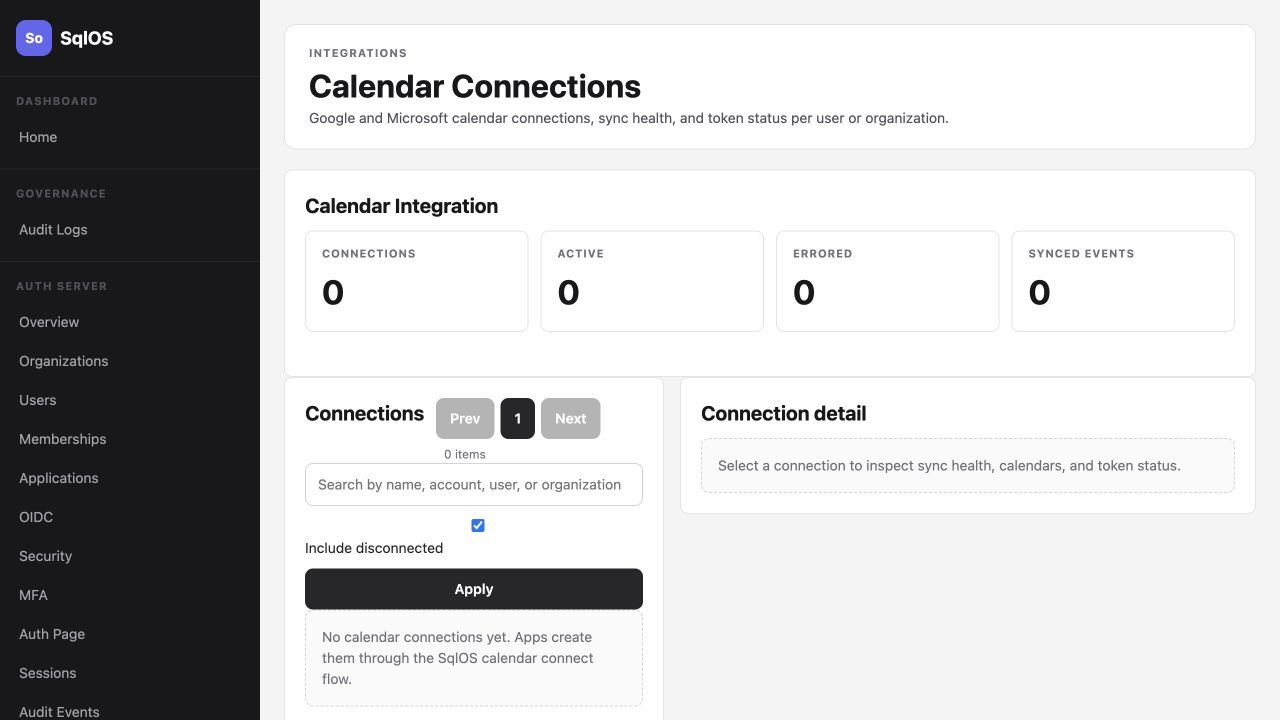
/sqlos/admin/calendar/connections shows connection status, last sync, per-calendar cursors, and errors, with force sync/refresh/disconnect actions.calendar.* audit events.calendar.* events