Guides
Add password login
Enable hosted password authentication for an owned web app.
You'll learn how to register SqlOS, seed an owned client, and sign in through the hosted login UI.
DbContext implementing ISqlOSAuthServerDbContextYour app starts an OAuth authorization-code flow at /sqlos/auth/authorize. SqlOS then renders the hosted email and password steps, and returns a short-lived authorization code to your registered callback. Your app exchanges that code at /sqlos/auth/token with PKCE.
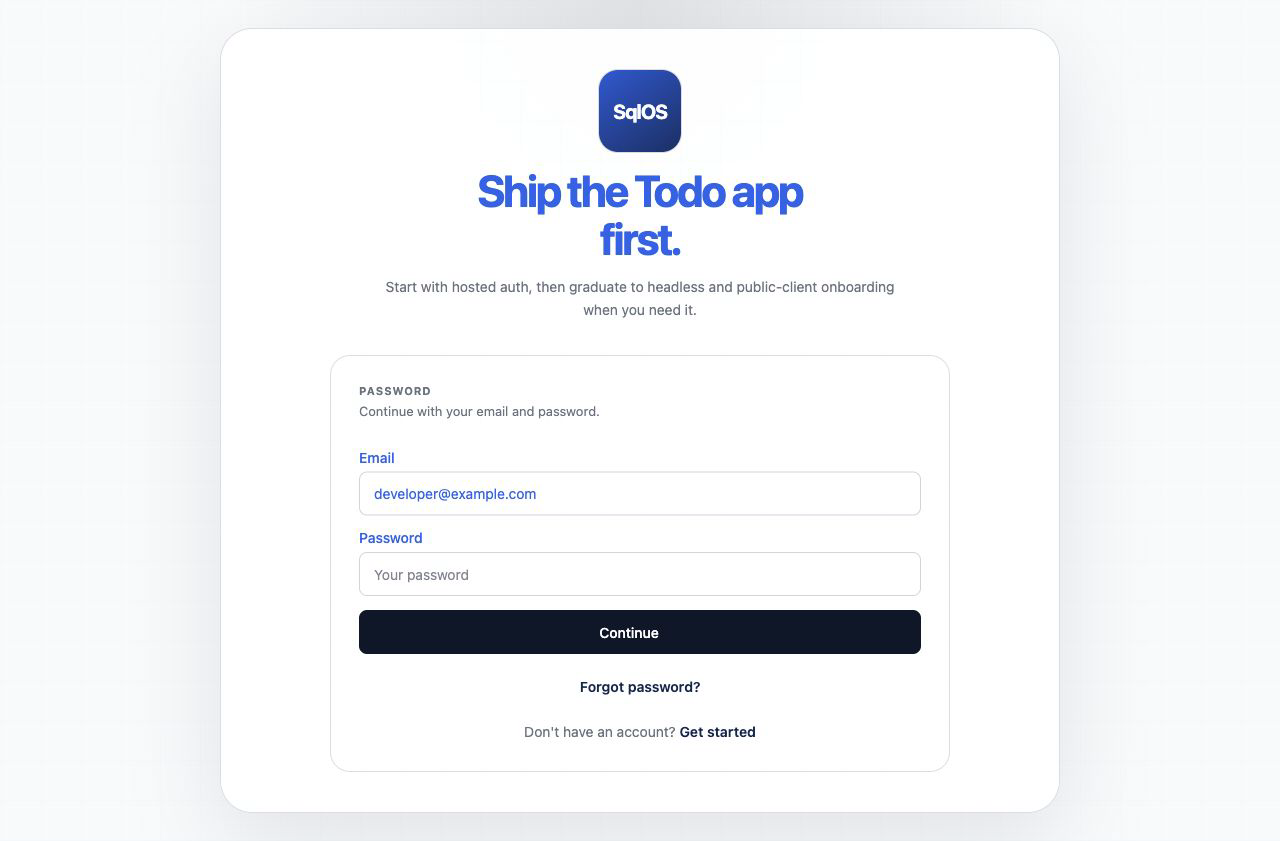
This screenshot comes from the Todo demo with EnabledCredentialTypes = ["password"]. SqlOS asks for the email first so it can perform home realm discovery, then shows the password step above when local password auth is the only configured primary credential.
builder.AddSqlOS<AppDbContext>(options =>
{
    options.AuthServer.SeedOwnedWebApp(
        "web",
        "My App",
        "https://localhost:5001/auth/callback");
    options.AuthServer.SeedAuthPage(page =>
    {
        page.PageTitle = "Sign in";
        page.EnablePasswordSignup = true;
        page.EnabledCredentialTypes = ["password"];
    });
});Build():app.MapSqlOS();Wire the client by following ASP.NET Core login. The sample uses the standard ASP.NET Core OAuth handler to create state and PKCE values, redirect through /authorize, validate the callback, and exchange the code at /token.
Verify: complete login, confirm the callback receives code and state, and confirm the middleware exchanges the code before your protected application page loads.
/authorize and /token endpoints respond on your origin/sqlos/admin/auth/