Standalone SqlOS Identity Server for Multiple Apps
The advanced SqlOS topology: one dedicated auth host serving several web, mobile, CLI, and API surfaces with shared users, orgs, SSO, and application access policy.
By Ross Slaney
If you have one web app, do not start here.
Read Auth for One .NET App with SqlOS and use single-application mode. That path is smaller, easier to deploy, and correct for most teams.
This post is for the advanced case: a platform team or ISV that wants one SqlOS identity server for several applications. Customer Portal, Admin Console, Angular app, Expo app, CLI, MCP integration, and resource APIs all share the same users, organizations, SSO connections, sessions, and application access policy.
One SqlOS host, many application surfaces
The advanced topology moves SqlOS into a dedicated auth host. Multiple clients share users, organizations, sessions, SSO, and application access policy while resource APIs validate the tokens they receive.
Client apps
- Customer portal
- Admin console
- Mobile app / CLI
SqlOS auth host
- /sqlos/auth/*
- Users + orgs + SSO
- Application assignments
Resource APIs
- Validate issuer + audience
- Call FGA / app policy
- Return protected data
The topology
The standalone shape looks like the SqlOS example stack:
SqlOS.Example.Apihosts SqlOS AuthServer and the admin dashboard.SqlOS.Example.Webis a separate Next.js frontend.SqlOS.Example.AngularWebis another browser frontend.SqlOS.Example.ExpoAppis a mobile-style native client.- A CLI or MCP client can use device flow or portable public-client metadata.
- Resource APIs validate tokens issued by the same SqlOS host.
The auth host is not "just login." It owns:
- OAuth endpoints under
/sqlos/auth/* - users, organizations, memberships, invitations, and sessions
- SAML/OIDC connections
- hosted AuthPage or headless request orchestration
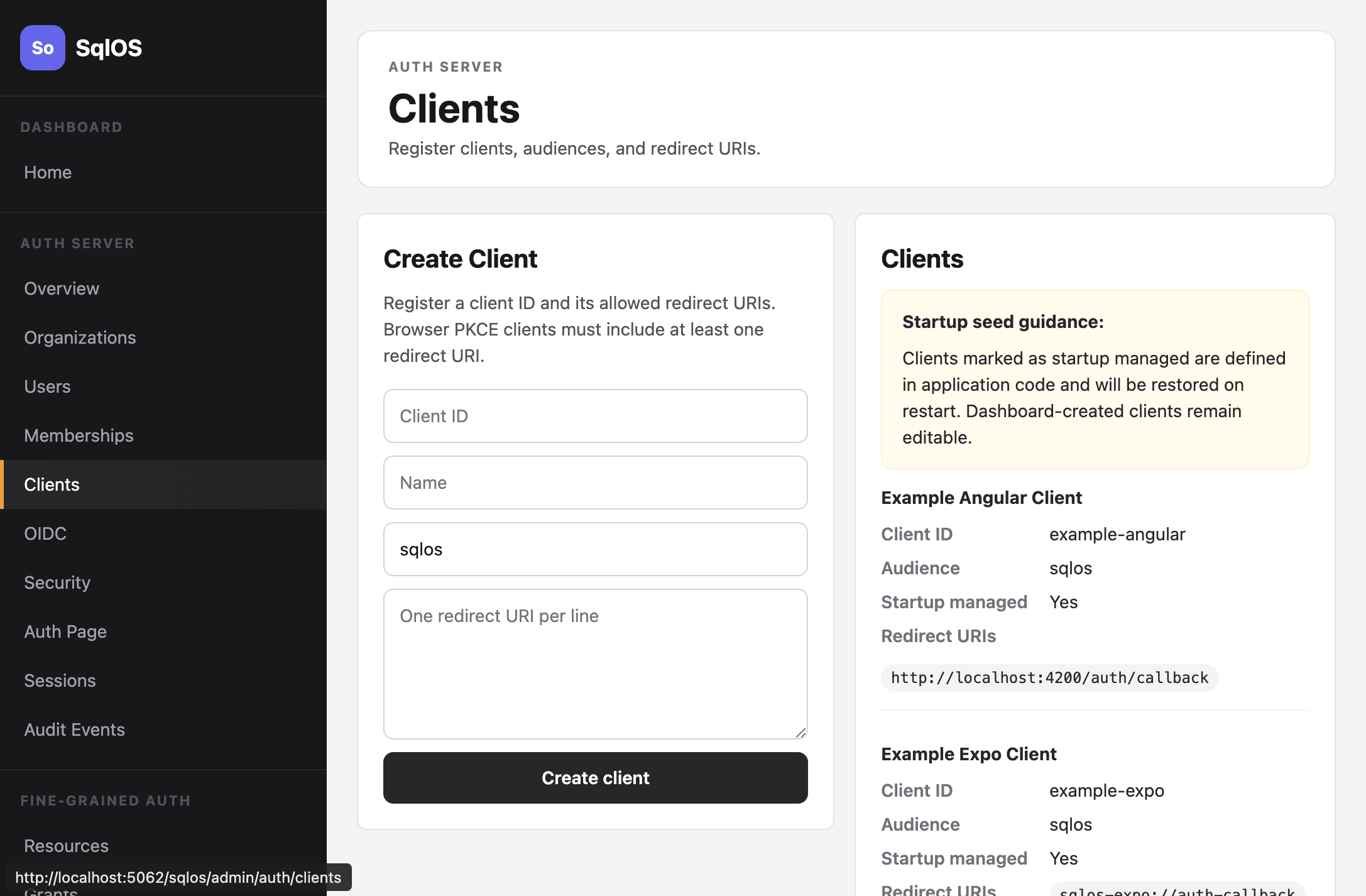
- application/client records
- application access assignments
- refresh token rotation and revocation
Your product apps own their UI and business data. SqlOS owns the identity protocol and shared identity data.
Multiple clients, not one magic client
Each application surface gets its own OAuth client. That keeps redirect URIs, client IDs, and product policy separate:
builder.AddSqlOS<ExampleAppDbContext>(options =>
{
    options.ConfigureApplication("Acme Identity", application =>
    {
        application.Origin = "https://auth.example.com";
        application.Brand(page => page.PrimaryColor = "#0f172a");
    });
    var auth = options.AuthServer;
    auth.Issuer = "https://auth.example.com/sqlos/auth";
    auth.DefaultAudience = "https://api.example.com";

    auth.SeedBrowserClient(
        "customer-portal",
        "Customer Portal",
        "https://app.example.com/auth/callback");

    auth.SeedBrowserClient(
        "admin-console",
        "Admin Console",
        "https://admin.example.com/auth/callback");

    auth.SeedBrowserClient(
        "mobile-app",
        "Mobile App",
        "sqlos-mobile://auth-callback");

    auth.SeedCliClient(
        "support-cli",
        "Support CLI",
        "https://api.example.com",
        "openid",
        "profile",
        "email",
        "offline_access");
});
The client is "which app is signing in." The audience is "which resource API should accept the token." Those are related, but not the same.
Two applications can mint tokens for the same API. Customer Portal and Admin Console might both call https://api.example.com, but only some users should be allowed to use Admin Console.
That is where application assignments matter.
Application assignments are the control plane
Application access answers:
Can this user, in this organization, use this application?
For a standalone identity server, this is the missing layer between OAuth clients and API audiences.
Example policy:
| Application | Access mode | Assignment |
|---|---|---|
| Customer Portal | all_organizations | Every active customer organization |
| Admin Console | selected_users_groups_roles | Internal support group and tenant admins |
| Partner App | selected_organizations | Only assigned pilot organizations |
| Support CLI | internal_only | Named support operators or FGA user group |
Set Admin Console to explicit assignments:
curl -X POST https://auth.example.com/sqlos/admin/auth/api/applications/admin-console/access-mode \
  -H "Content-Type: application/json" \
  -d '{ "accessMode": "selected_users_groups_roles" }'
Allow an organization's admins:
curl -X POST https://auth.example.com/sqlos/admin/auth/api/applications/admin-console/assignments \
  -H "Content-Type: application/json" \
  -d '{
    "principalType": "role",
    "organizationId": "org_123",
    "roleKey": "admin",
    "access": "allowed",
    "reason": "Tenant admins may use Admin Console"
  }'
Explain a support case:
curl "https://auth.example.com/sqlos/admin/auth/api/applications/admin-console/access/check?organizationId=org_123&userId=usr_123"This is not audience validation. The protected API still validates issuer, signature, expiry, and audience. Assignments decide whether the user should reach the application in the first place.
Headless mode for app-owned UI
Standalone does not mean every app must use the hosted SqlOS AuthPage.
If each frontend owns its login experience, configure headless mode. The browser still starts at /sqlos/auth/authorize, but SqlOS redirects to the app-owned UI with a request ID:
auth.UseHeadlessAuthPage(headless =>
{
    headless.BuildUiUrl = ctx =>
        QueryHelpers.AddQueryString(
            "https://app.example.com/auth/authorize",
            new Dictionary<string, string?>
            {
                ["request"] = ctx.RequestId,
                ["view"] = ctx.View,
                ["email"] = ctx.Email,
                ["pendingToken"] = ctx.PendingToken,
                ["ui_context"] = ctx.UiContext?.ToJsonString()
            });
});
The app renders the UI. SqlOS keeps the protocol state: PKCE, SSO callbacks, invitations, OTP, MFA, organization selection, and the final authorization code.
That is the key boundary. Do not let each app invent its own login lifecycle. Let each app own UI while SqlOS owns the protocol.
More detail: Headless auth with SqlOS and Headless Auth.
SDK flows without a browser
Standalone identity servers usually have server-side jobs and non-browser clients too. The SDK/reference services cover those flows:
var invite = await authService.CreateEmailInvitationAsync(
    new SqlOSCreateEmailInvitationRequest(
        organizationId,
        email: "alex@example.com",
        role: "admin",
        clientId: "admin-console",
        redirectUri: "https://admin.example.com/auth/callback"),
    httpContext,
    ct);
For email OTP login from a trusted server path:
var otpStart = await authService.RequestEmailOtpAsync(
    new SqlOSEmailOtpStartRequest(
        email: "alex@example.com",
        clientId: "customer-portal",
        organizationId: "org_123"),
    httpContext,
    ct);

var otpLogin = await authService.VerifyEmailOtpAsync(
    new SqlOSEmailOtpVerifyRequest(
        otpStart.ChallengeToken,
        code),
    httpContext,
    ct);
For a CLI:
var deviceStart = await authService.StartDeviceAuthorizationAsync(
    new SqlOSDeviceAuthorizationStartRequest(
        clientId: "support-cli",
        scope: "openid profile email offline_access",
        resource: "https://api.example.com"),
    httpContext,
    ct);
The CLI displays the user code. The user signs in through SqlOS, application access is checked when approval happens, and the CLI receives tokens only after approval. The Todo CLI sample uses the same device-flow shape for a smaller app.
When this is worth it
Use standalone SqlOS when you have real platform needs:
- an ISV suite with customer portal, admin console, mobile app, and CLI
- an internal platform team that wants one identity host for several product teams
- MCP, web, and CLI clients that must share users and organizations
- SSO and invitations that should work across several application surfaces
- operator workflows that need "who can use which app?" in one dashboard
Do not use it just because other standalone IdPs exist. Duende, Keycloak, Entra External ID, Auth0, and WorkOS all have places where they make sense. The SqlOS standalone path is for teams that want the identity server inside their .NET and SQL Server operating model, not a separate identity platform comparison exercise.
The rule
Start with one app.
Graduate to standalone when you can name the second and third application surfaces, explain why they need distinct clients, and define who is allowed to use each one.
Next reading: