Ship "Sign in with X" for your product
Turn a SqlOS-hosted app into the identity provider for your other apps: one OIDC client seed, scope display names, an Auth.js relying party, consent, and federated sign-out.
Your SqlOS host is already a full OpenID Connect Provider — discovery, ID tokens, UserInfo, and a consent screen are on by default (see OpenID Provider). This guide turns that into a product feature: a "Sign in with X" button in another app, where X is your app. The relying party needs no SqlOS SDK — only the standard OIDC discovery document, which is the point.
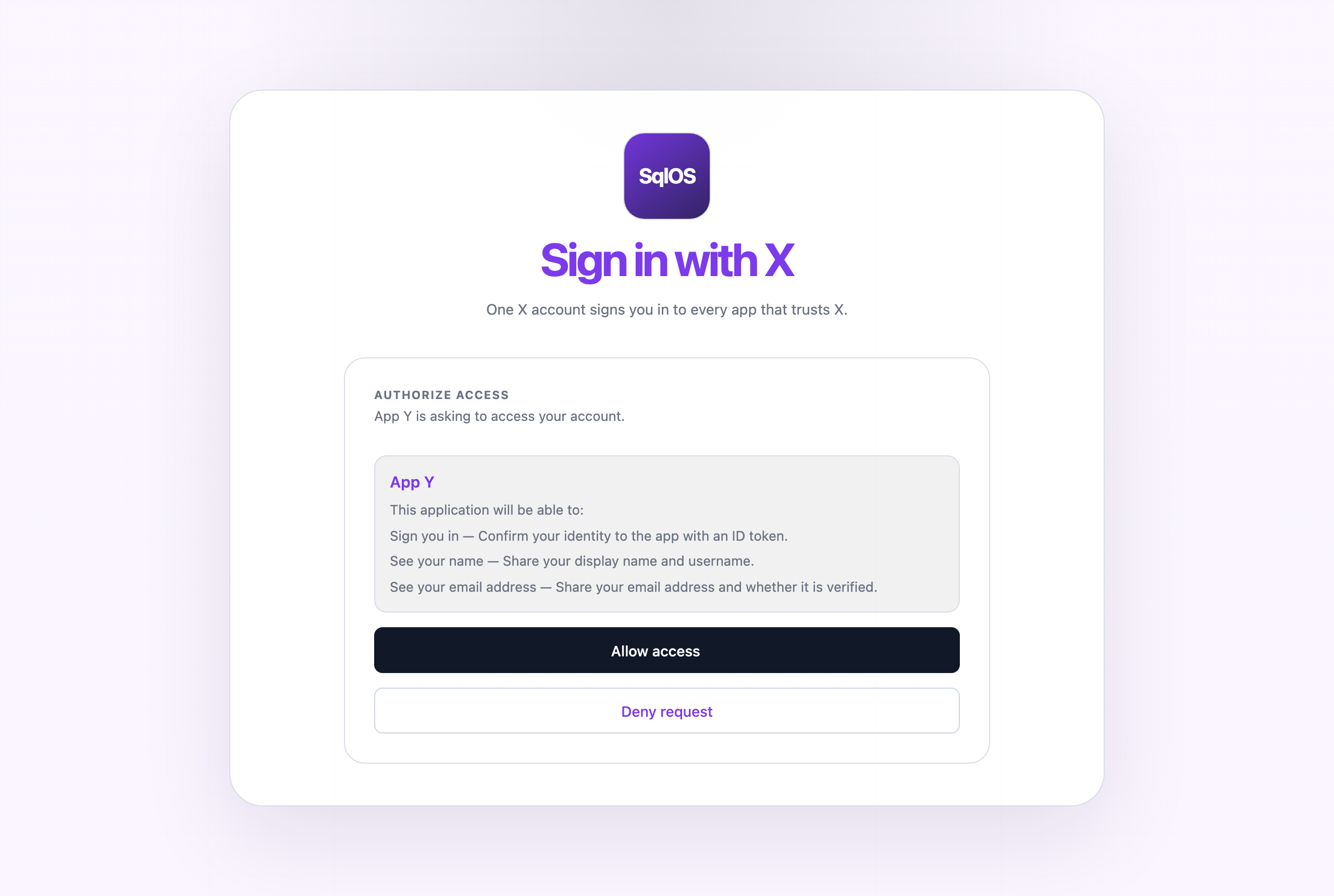
Everything below is runnable: the Sign in with X example boots both apps under .NET Aspire with one command.
The identity-provider side is one AddSqlOS call. Seed a client for the app that will show the button:
builder.AddSqlOS<AppDbContext>(
    db => db.UseSqlServer(connectionString),
    options =>
    {
        options.ConfigureApplication("X", application =>
        {
            application.Origin = "https://x.example.com";
            application.Brand(page => page.PrimaryColor = "#111827");
        });
        var auth = options.AuthServer;
        auth.PublicOrigin = "https://x.example.com";
        auth.Issuer = "https://x.example.com/sqlos/auth";

        auth.SeedClient(client =>
        {
            client.ClientId = "app-y";
            client.Name = "App Y";
            client.Audience = "app-y";
            client.RedirectUris = ["https://app-y.example.com/api/auth/callback/sqlos"];
            client.AllowedScopes = ["openid", "profile", "email"];
            client.ClientType = "public_pkce";   // browser app: no secret
            client.RequirePkce = true;
            client.IsFirstParty = false;         // third party ⇒ consent screen
        });
    });
Two decisions matter here:
AllowedScopes must include openid. Every grant is the intersection of the client's allowlist and the request's scope; without openid granted, no ID token is minted and the sign-in silently degrades to plain OAuth. The dashboard and hosted pages warn about this configuration gap, but the allowlist is where you prevent it.IsFirstParty = false is a product choice, not a technicality. First-party clients skip consent. If the relying party is another team's app, a partner, or anything the user would think of as "a different application", leave it third-party so users see what they're sharing.The consent screen renders each requested scope by its entry in the scope display-name catalog; uncataloged scopes fall back to the raw scope string. Seed the standard three:
auth.SeedScopeDisplayName("openid", "Sign you in",
    "Confirm your identity to the app with an ID token.");
auth.SeedScopeDisplayName("profile", "See your name",
    "Share your display name and username.");
auth.SeedScopeDisplayName("email", "See your email address",
    "Share your email address and whether it is verified.");
The catalog is also manageable from the dashboard and the Admin API, and the same entries feed the hosted page, the headless view model, and the control plane. SqlOS deliberately ships no default wording — what a scope grants is your product's promise to make.
Any OIDC library works from five standard values (issuer, client id, redirect URI, scopes, code + PKCE). With Auth.js (next-auth), the entire integration is one provider block:
providers: [
  {
    id: "sqlos",
    name: "X",
    type: "oauth",
    wellKnown: "https://x.example.com/sqlos/auth/.well-known/openid-configuration",
    authorization: { params: { scope: "openid profile email" } },
    // idToken: true keeps openid-client's full OIDC callback (ID-token
    // signature/iss/aud validation); the custom userinfo request sources
    // profile claims from UserInfo, where OIDC Core §5.4 releases them.
    idToken: true,
    userinfo: {
      async request({ client, tokens }) {
        return await client.userinfo(tokens);
      }
    },
    checks: ["pkce", "state"],
    client: { token_endpoint_auth_method: "none" },
    profile(profile) {
      return { id: profile.sub, name: profile.name, email: profile.email };
    }
  }
]
The subtlety worth keeping: SqlOS follows OIDC Core §5.4 and releases name/email claims from UserInfo, not the ID token, so the provider block validates the ID token and reads the profile from UserInfo. The ASP.NET Core equivalent (AddOpenIdConnect with GetClaimsFromUserInfoEndpoint = true) is in the OpenID Provider reference.
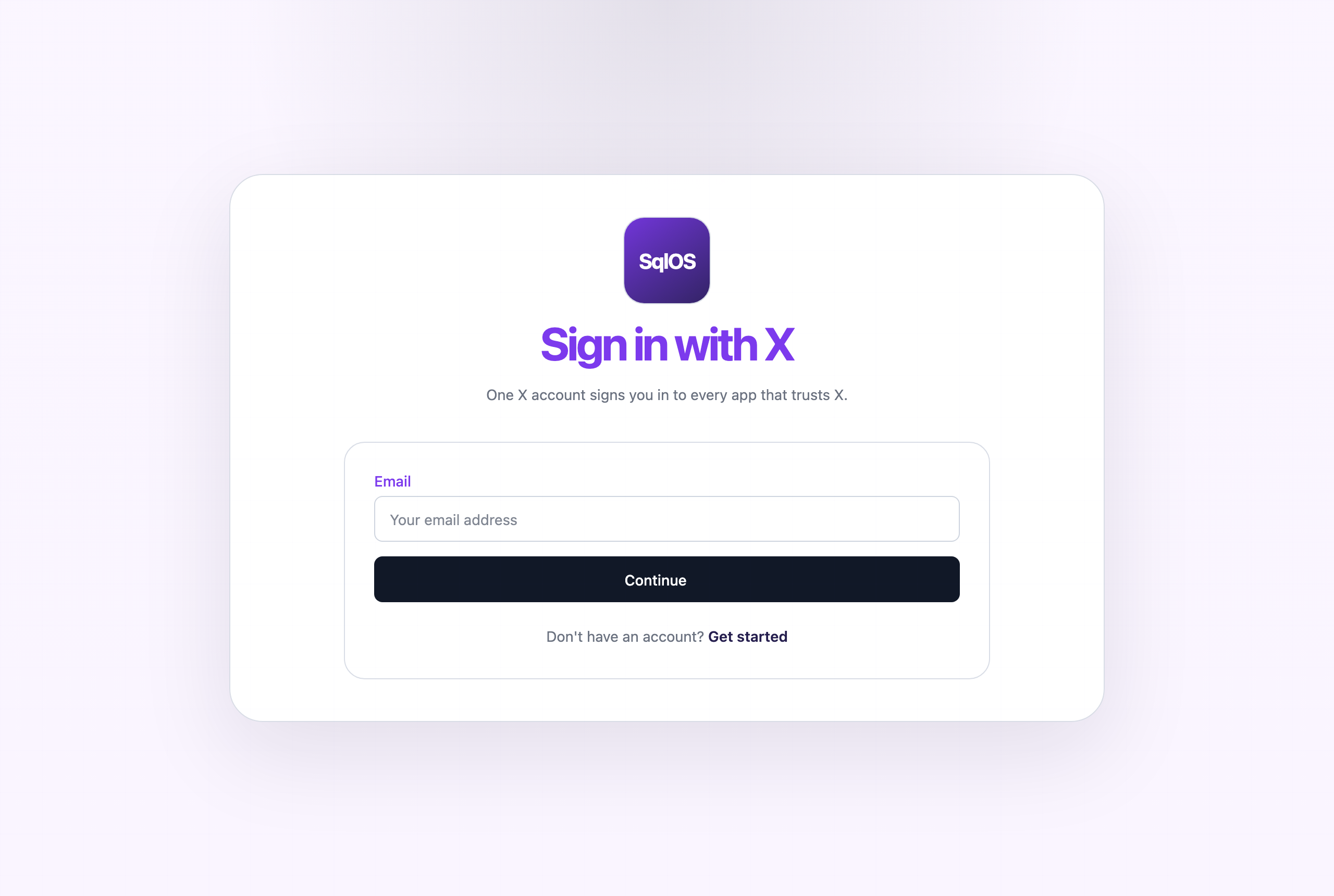
await signOut({ redirect: false });                          // end the RP session
window.location.href =
  `https://x.example.com/sqlos/auth/logout?returnTo=${encodeURIComponent(window.location.origin)}`;
Spec-shaped RP-initiated logout (end_session_endpoint) is tracked as issue #266; this pattern is the supported equivalent today.
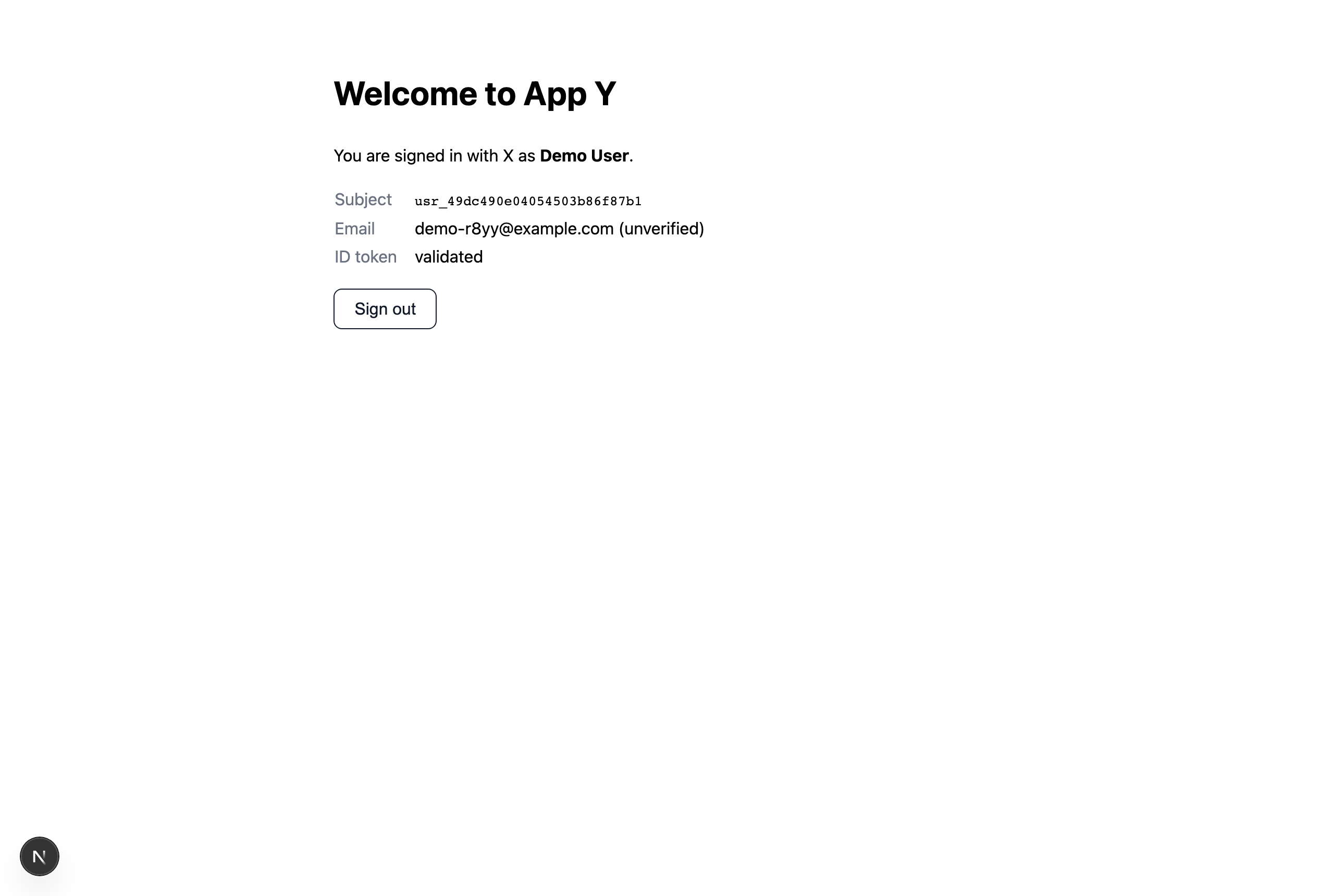
cd examples/SqlOS.SignInWithX.AppY && npm install && cd -
dotnet run --project examples/SqlOS.SignInWithX.AppHost
Open http://localhost:3020 and click Sign in with X. The example README walks through what to look at, including the discovery document and the dashboard.