Clients
Register OAuth client applications with redirect URIs.
A client represents an application that authenticates users through SqlOS. Each client has a unique ID, an audience, and a list of allowed redirect URIs for OAuth PKCE flows.
Register a client
Dashboard: Auth Server > Clients
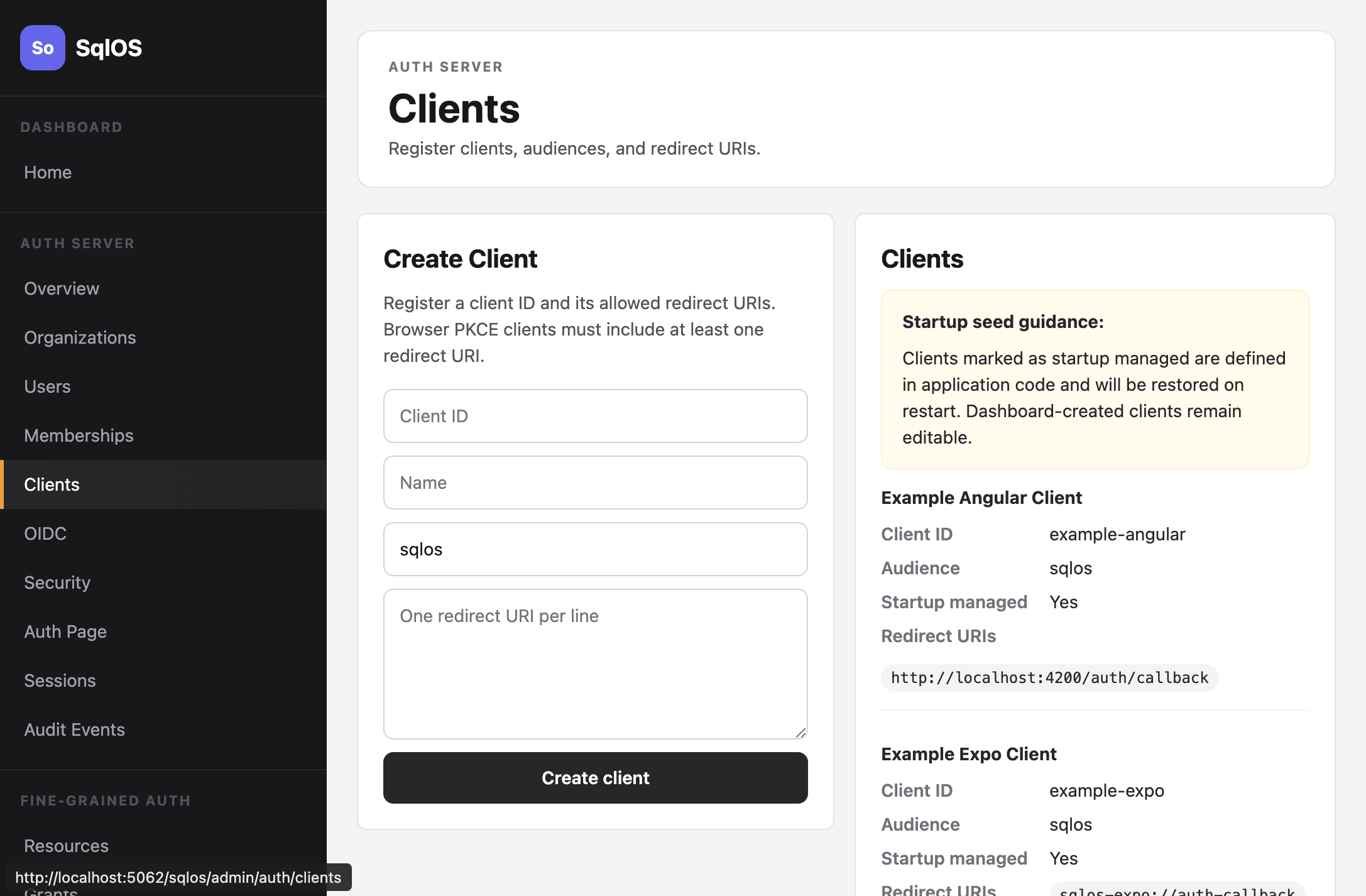
Startup seeding (recommended for first-party apps):
builder.AddSqlOS<AppDbContext>(options =>
{
    options.UseAuthServer(auth =>
    {
        auth.SeedBrowserClient(
            "my-web-app",
            "My Web Application",
            "http://localhost:3000/auth/callback",
            "https://app.example.com/auth/callback");
    });
});
Admin API:
curl -X POST http://localhost:5062/sqlos/admin/auth/api/clients \
  -H "Content-Type: application/json" \
  -d '{
    "clientId": "my-web-app",
    "name": "My Web Application",
    "audience": "sqlos",
    "redirectUris": ["http://localhost:3000/auth/callback"]
  }'
| Field | Required | Description |
|---|---|---|
clientId | Yes | Unique identifier (e.g., my-web-app) |
name | Yes | Display name |
audience | No | Token audience claim |
redirectUris | Yes | Allowed callback URIs for OAuth flows |
Startup-managed vs dashboard-created
Clients seeded in startup code are marked as startup managed. Their configuration is reapplied on every restart, so changes made in the dashboard will be overwritten.
Dashboard-created clients are fully editable and persist across restarts.
Multiple clients
Register separate clients for each frontend. The example stack seeds three:
auth.SeedBrowserClient("example-web", "Example Web", "http://localhost:3010/auth/callback");
auth.SeedBrowserClient("example-angular", "Example Angular", "http://localhost:4200/auth/callback");
auth.SeedBrowserClient("example-expo", "Example Expo", "sqlos-expo://auth-callback");