Sessions and Tokens
Access tokens, refresh tokens, validation, and session lifecycle.
Every successful login creates a session with an access token and a refresh token.
Token response
After login, you receive:
{
  "accessToken": "eyJhbG...",
  "refreshToken": "rt_a1b2c3d4...",
  "sessionId": "ses_443b577029cb43139d119ab6",
  "clientId": "my-web-app",
  "organizationId": "org_beae09ea40854f4488d6b3f1",
  "accessTokenExpiresAt": "2026-03-19T14:30:00Z",
  "refreshTokenExpiresAt": "2026-03-26T13:30:00Z"
}
Access tokens
Access tokens are RS256-signed JWTs containing user, session, client, and organization claims. Validate them server-side:
var validated = await authService.ValidateAccessTokenAsync(rawToken, ct);

if (validated == null)
    return Results.Unauthorized();

var userId = validated.UserId;
var sessionId = validated.SessionId;
var orgId = validated.OrganizationId;
| Field | Description |
|---|---|
UserId | Authenticated user |
SessionId | Active session |
ClientId | OAuth client that initiated login |
OrganizationId | Scoped organization (nullable) |
Principal | ClaimsPrincipal with all JWT claims |
JWKS endpoint
External services can validate SqlOS-issued JWTs using the public key at:
GET /sqlos/auth/.well-known/jwks.json
Refresh tokens
Refresh tokens are opaque and rotated on every use. Each refresh consumes the old token and issues a new one.
var tokens = await authService.RefreshAsync(
    new SqlOSRefreshRequest(refreshToken, organizationId: null), ct);
Replay detection: If a consumed refresh token is reused, SqlOS revokes the entire token family and the session. This protects against token theft.
Organization switching: Pass a different organizationId during refresh to switch the token's org scope without re-authenticating.
Logout
Revoke a session by refresh token or session ID:
await authService.LogoutAsync(refreshToken: "rt_...", sessionId: null, ct);
Revoke all sessions for a user:
await authService.LogoutAllAsync(userId, ct);
Session lifetimes
Configured via the dashboard (Auth Server > Security) or the admin API:
| Setting | Description |
|---|---|
| Refresh token lifetime | How long a refresh token is valid |
| Session idle timeout | Session expires after this period of inactivity |
| Session absolute lifetime | Hard expiration regardless of activity |
{
  "refreshTokenLifetimeMinutes": 10080,
  "sessionIdleTimeoutMinutes": 1440,
  "sessionAbsoluteLifetimeMinutes": 43200
}
The access token lifetime is configured separately in startup:
options.UseAuthServer(auth =>
{
    auth.AccessTokenLifetime = TimeSpan.FromMinutes(15);
});
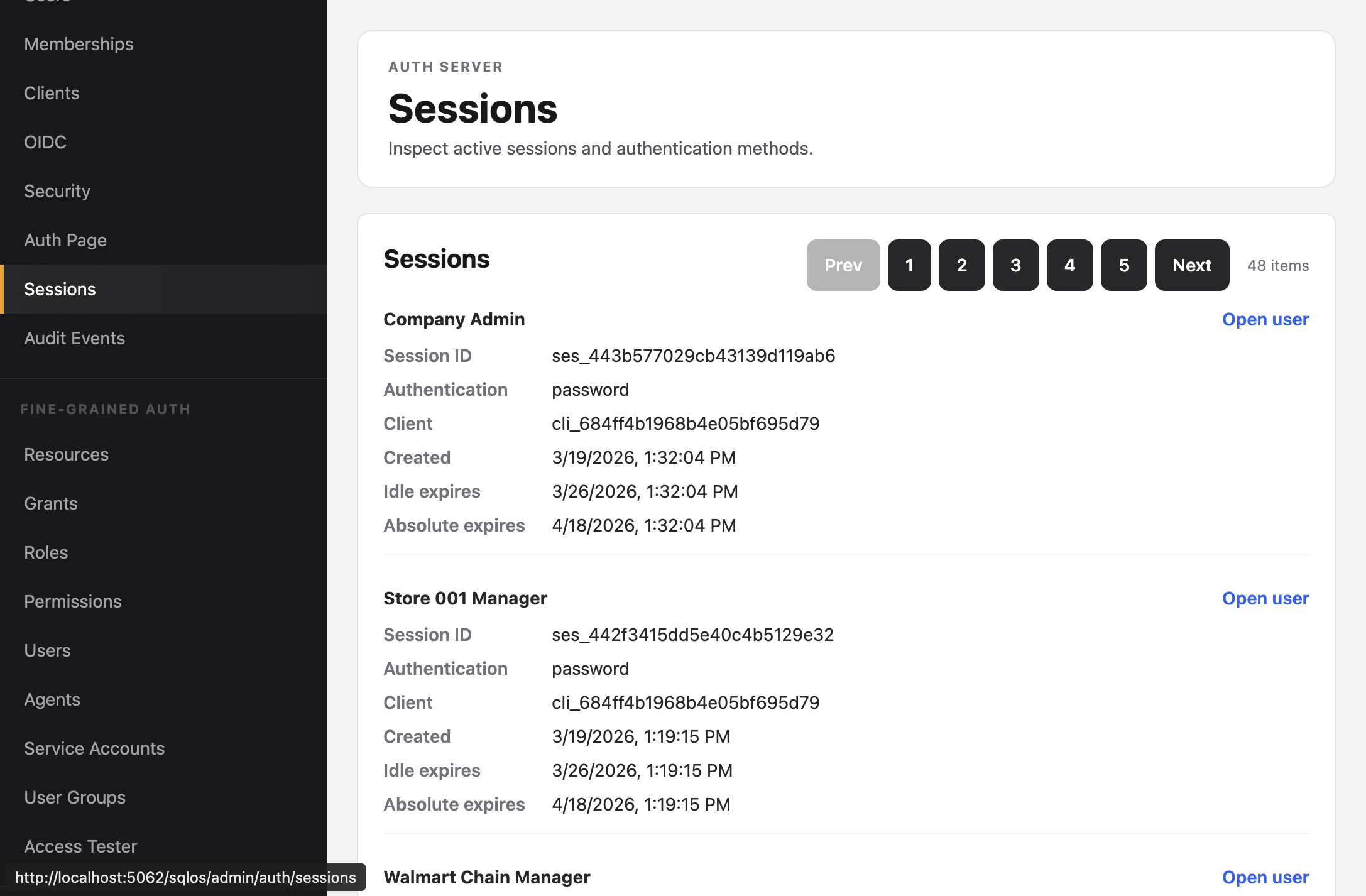
Viewing active sessions
The dashboard Sessions page shows all active sessions with authentication method, client, and expiration.