Resource Hierarchy
Model your app's data as a tree for inherited permissions.
Resources form a tree. Each resource has exactly one parent (except root). When checking access, FGA walks from the target resource up to the root, looking for matching grants.
Tree structure
Model your app's hierarchy as nested resources:
root
├── org::acme (Organization)
│   ├── chain-1 (Chain)
│   │   ├── location-1 (Location)
│   │   │   ├── item-1 (Inventory)
│   │   │   └── item-2 (Inventory)
│   │   └── location-2 (Location)
│   └── chain-2 (Chain)
└── org::globex (Organization)
    └── chain-3 (Chain)
Create a resource
Use CreateResource to add a node to the tree:
var resourceId = context.CreateResource(
    parentId: "org::acme",
    name: "New Chain",
    resourceTypeId: "chain"
);
With a custom ID:
var resourceId = context.CreateResource(
    parentId: "root",
    name: "Acme Corp",
    resourceTypeId: "organization",
    id: $"org::{org.Id}"
);
CreateResource adds the resource to the EF Core change tracker. Call SaveChangesAsync to persist.
How inheritance works
When checking CHAIN_VIEW on chain-1:
- Check grants directly on
chain-1 - Check grants on
org::acme(parent) - Check grants on
root(grandparent) - If any ancestor has a grant with a role that includes
CHAIN_VIEW, access is allowed
This means a single grant at the organization level gives access to everything underneath, without creating per-resource grants.
Browse in the dashboard
Path: Fine-Grained Auth > Resources
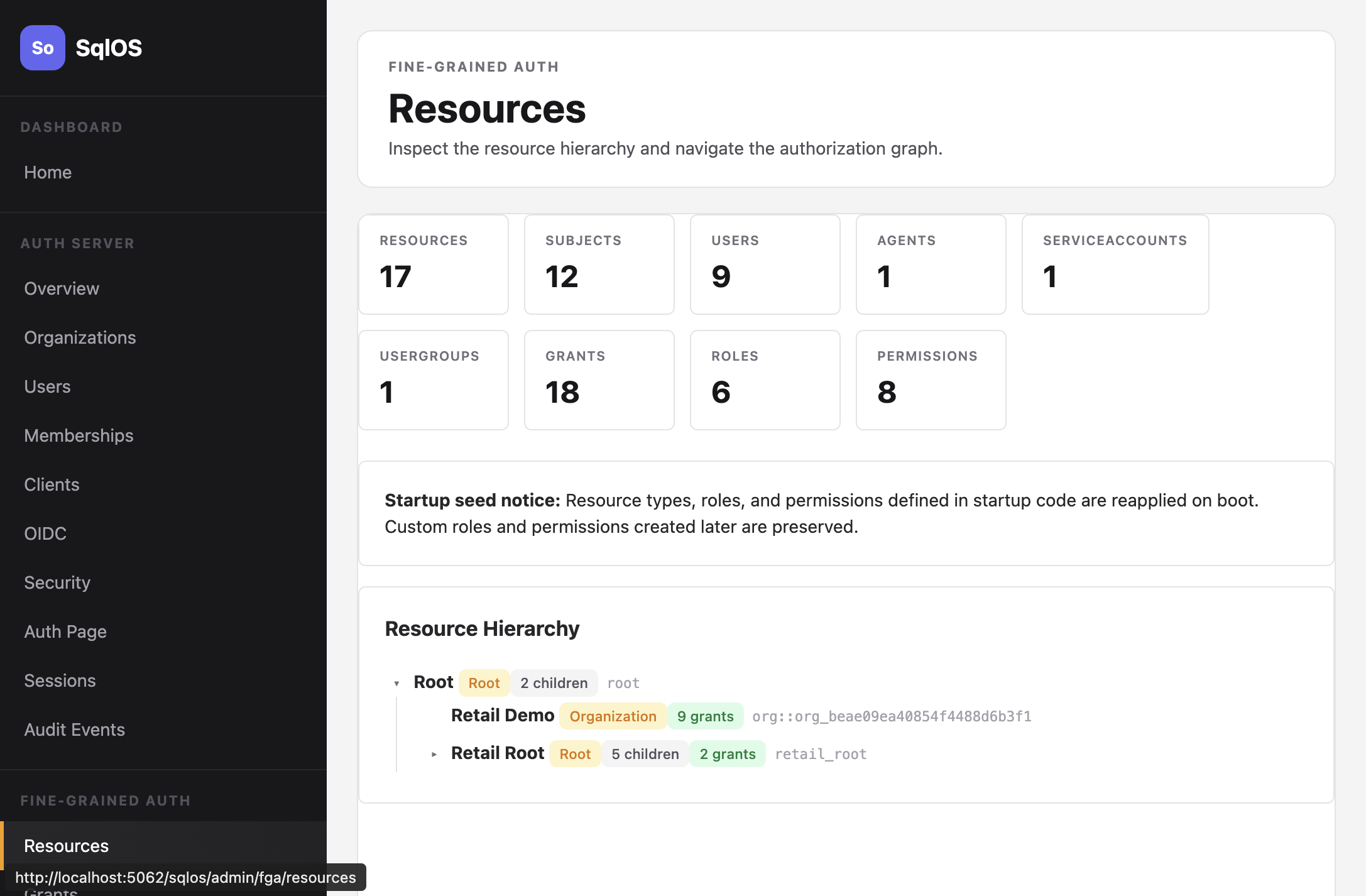
The Resources page shows the full tree with resource types, child counts, and grant counts.